


What's the best profile practices for your professional social media account? If you're looking to build a professional profile, there are certain things your social media account needs.

Let's dig into the basics. Learn all about profile optimization and best practices, right here.
Jump to content in this section:
What's an Online Profile?
What's an online profile, and what are some of the common pitfalls we can avoid? What is a Facebook handle. Is it different from a username? How do you make sure your professional social media profile is the best profile possible? What's the best social media account for your business?
Those are just some of the questions you may be wondering about. It can all be a little overwhelming, at first.
Your professional profile is a representation of your brand—be it your professional brand or a business—on a social media platform. You should think about profile optimization. It not only means presenting your best, but also following the platform's best practices too.
Consider the following professional social media tips:
- Keep your username consistent. Having different usernames across various social media networks can cause confusion.
- Complete your profile. Use the content and space to your advantage. Leaving content empty may also look unprofessional or incomplete.
- Is it easy to find you? You want to try to avoid confusion. Keep your content not only consistent, but clear too. Upon visiting your profile, is it clear who and what your social media presence is? Social media profiles often dominate search results. So, you'll want that info to be clear and easy to find.
These might sound like a lot of things to consider. The good news is that optimizing your social media profile isn’t all that hard once you’ve completed all the necessary steps. All you've got to do is check to make sure all the information is still relevant, update it when necessary, and keep on top of major changes.
In this part of our Social Media Guide for Small Business, we’ll discuss the necessary elements any social media profile needs. We'll walk you through optimizing your social media profiles.
6 Key Elements of a Successful Social Media Profile
First thing's first, let's talk about profile basics. We'll start with the basics of what your professional profile needs:
- Your Business Name. Most people who are interested in your business will probably search for it by name.
- Your Username. Your username on the majority of social media networks will become a part of the URL for your profile on that particular network.
- Your Profile and Cover Photo. Your profile photo can be your logo or a personal picture. It helps build brand recognition. If you opted for a personal photo, it helps your audience connect with you and put a face behind the name of your small business.
- Your Link. Almost all social media networks allow you to link to your website in your profile. So, make sure to include your website there. There are various ways to take advantage of this section which we'll discuss below.
- Your Bio. Your main social profile’s bio is usually just a sentence or two about yourself or your business.
- Your Location. Some social media networks allow you to display your location in your profile. If your small business depends on a local audience, then it’s crucial to include this information in your profile.
How to Optimize Your Social Media Profiles
Now that we’ve covered the key elements any social media profile should have, let’s talk about optimizing those elements:
1. Your Name and You Username
So, what's a Facebook handle or username on a social media platform? What's the best profile username for you? What's an online profile username for exactly?
For starters, with any business social media profile, your name should be the name of your business, unless your business operates under your personal name.
Your username becomes a part of the URL for a particular social media network. So, it may not be identical to your name. Still, the two should be clearly related and easy to understand.
For example, if your business was called "City Tech Repair" it wouldn't make much sense if your Username was "JohnSmith1992". The two have no obvious relation to someone unfamiliar with your brand. Make things as easy to remember and access as possible for your audience.



If you look at X (formerly Twitter), your handle is included in the URL. The same goes for your Facebook page, your LinkedIn profile, and any other social media network. When you select a username, you’re creating a branded URL. So, it makes sense to choose something brand related, even if it’s just the name of your business again.
Some people who can’t find your social media links may just assume it's something obvious and type it in directly. So, it’s worth brainstorming a little. Think about what terms people would use to search for your kind of business. Then make sure those words are in your URL.
2. Profile and Cover Photo
When it comes to profile photos, there's a great debate whether you should go with the logo or with a photo of a person, be it you, your PR manager, or anyone else who you’ve chosen to be the face of your brand. Generally, it’s recommended to go with a logo if you're an already established brand.
If you’re just starting out or if you're building a personal brand, it’s better to go with a personal photo. The reasoning behind this is that people are more likely to engage with a person than a brand logo, especially a brand they don’t yet recognize.
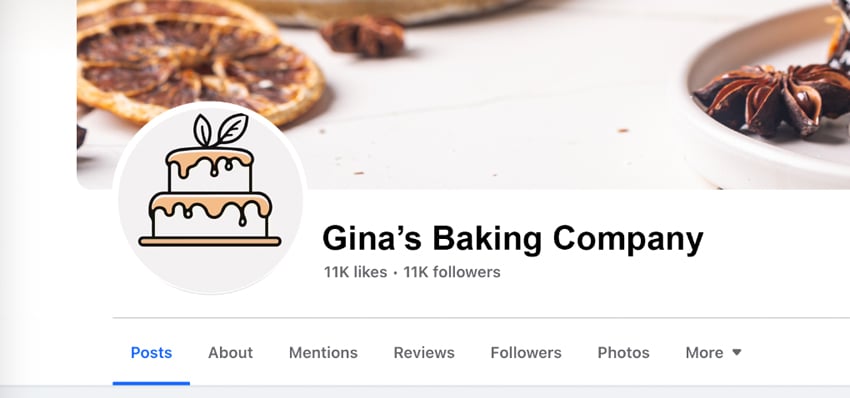
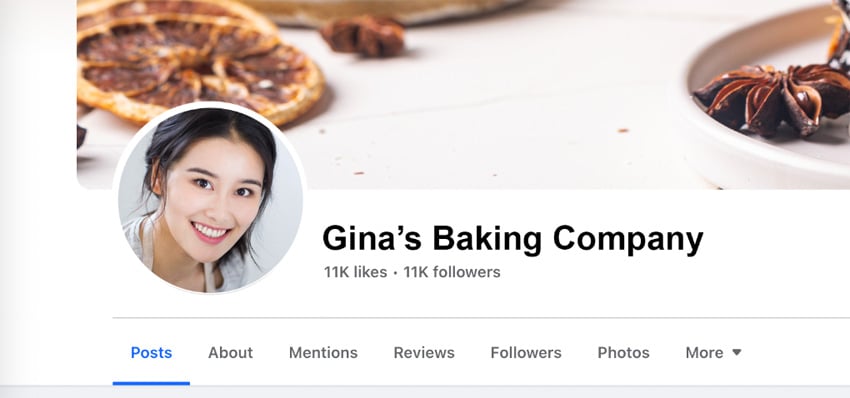
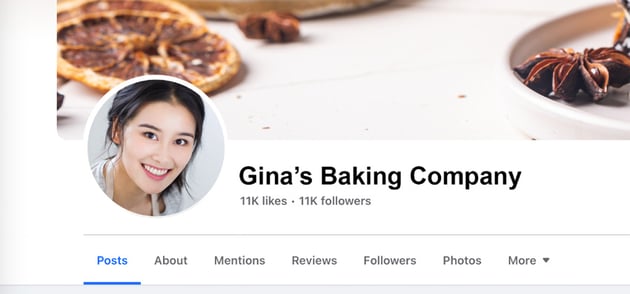
Once you've selected your profile photo, whether it’s your logo or a personal picture, use it across all your social media channels to establish consistency and make it easier for people to recognize you. Before uploading it to your social media channels, make sure you've named it accordingly, either as yourname.jpg or businessname.jpg as that small step can help your SEO efforts.
Your cover photo can be a little more creative. Depending on your niche, you can choose an image of your office, your employees, your product, or anything else that represents the core values of your brand. In the below example, notice how the cover photo helps push the idea that this photographer takes really extraordinary photos.
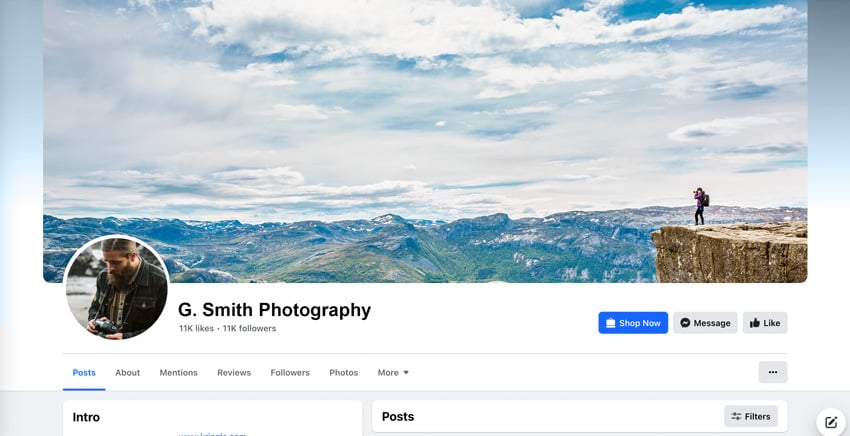

You can even include a text overlay on cover photos which can be a clever way to include extra information such as your contact email or you can use it to point to a specific part of your profile. In fact, many Facebook pages use this technique to add an arrow which points to their call to action. Learn how to make a great Facebook cover:


Keep in mind image dimensions for each network you're on and ensure all your cover photos and profile photos are high quality to avoid looking blurred on smaller screens.
Here are the recommended image sizes for cover and profile photos across major social networks:
- Cover photo: 851 x 315 pixels
- Profile picture: 170 x 170 pixels
X (formerly Twitter)
- Header image: 1500 x 500 pixels
- Profile picture: 400 x 400 pixels
- Banner image: 1584 x 396 pixels
- Profile Picture: 400 x 400 pixels
- Board cover: 222 x 150 pixels
- Cover photo: 165 x 165 pixels
YouTube
- Banner image: 2560 x 1440 (TV), 2560 x 423 (Desktop), 1546 x 423 (Mobile)
- Profile photo: 110 x 110 pixels
3. Which Link to Include in Your Profile
While some social media profiles like LinkedIn and Facebook allow you to include more than one link, all of them display only one link that’s immediately visible. Therefore, it’s crucial your link points to something relevant. There's nothing wrong with putting your website in your link, but there are better ways to make use of this section.
Take a look at our own Instagram profile (and feel free to follow us!). We encourage our users to engage with us via hashtags, but we also include a link which takes the viewer to a list of quick links. This can be a great way to include expansive content in a small space.
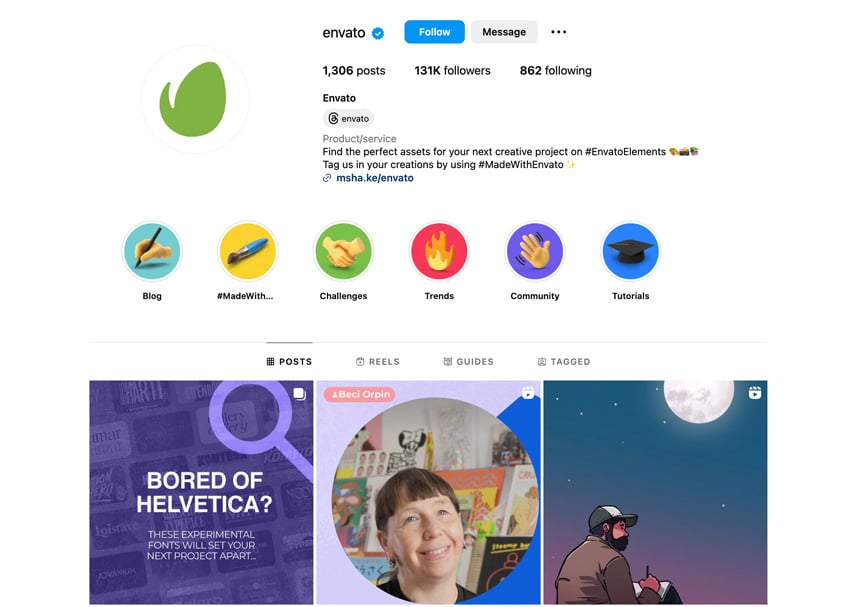
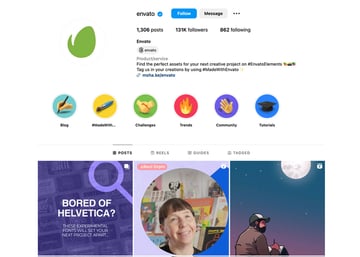
A great way to use this section of your profile is to create a specific landing page for each of the networks you’re active on so you can track which profiles are bringing your site the most traffic. You could use these pages to offer a special discount for people who have found you on X (formerly Twitter) or invite them to shop your online store or direct them to your most popular content. Birchbox, for example, has used this space to direct their followers to their online shop.


Another approach is to create a landing page that promotes your newsletter signup form and link to it in your social media profile. This is especially handy if you’re trying to grow your email list.
On networks such as LinkedIn, customize your link’s anchor text by using the Other option instead of just using My Website, My Company, or My Blog. This allows you to enter your keywords into the anchor text, which is another small step to improve your SEO. Do try to incorporate the keywords naturally as if you were writing a tagline for your business.
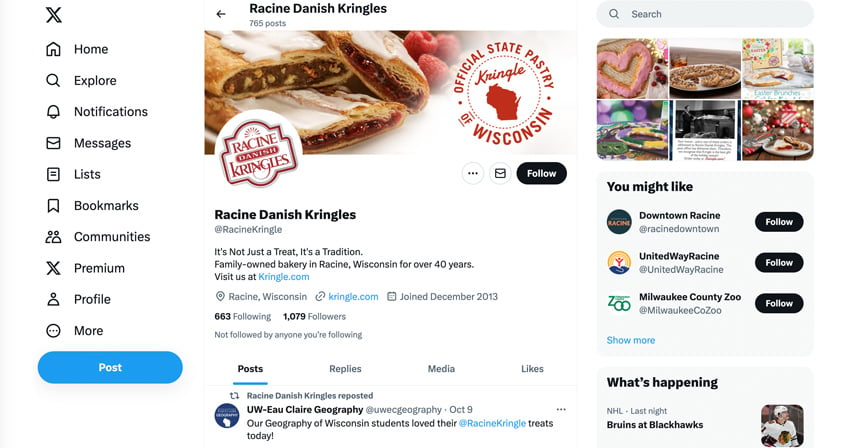
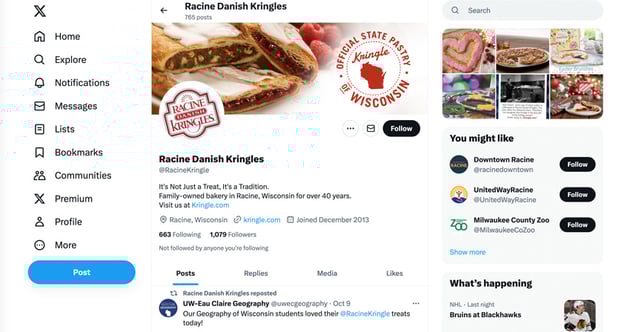
Also, for those social media networks that allow more than one link, don’t forget to include your other social media profiles there. Racine Danish Kringles does an excellent job of including their Facebook page in their bio along with their website.
4. How to Write a Compelling Bio
Most social media networks allow between 140-160 characters for your bio section. Considering your bio is usually prominently displayed on your profile, those 140-160 characters have to count. It’s your chance to make a great first impression on anyone who comes across your profile and if your bio isn’t compelling enough, they'll leave your profile just as quickly as they've found it.
The most popular solution is to use the bio section to include your elevator pitch and include your keywords. Some people use #hashtags, some include a quirky trait or their interest to show their personal side, and some make heavy use of the humor.
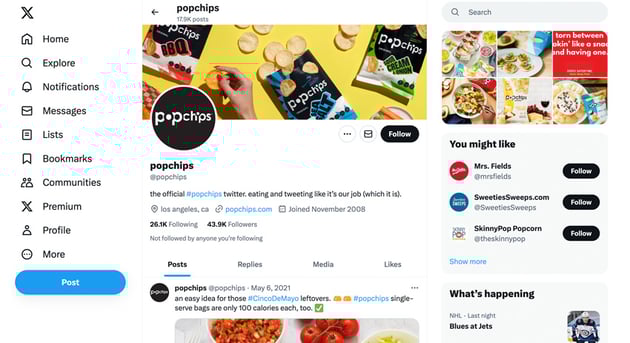
However, you decide to approach your bio, be sure to stay on brand. Popchips is a good example of a quirky and fun X (formerly Twitter) bio that stays on brand.
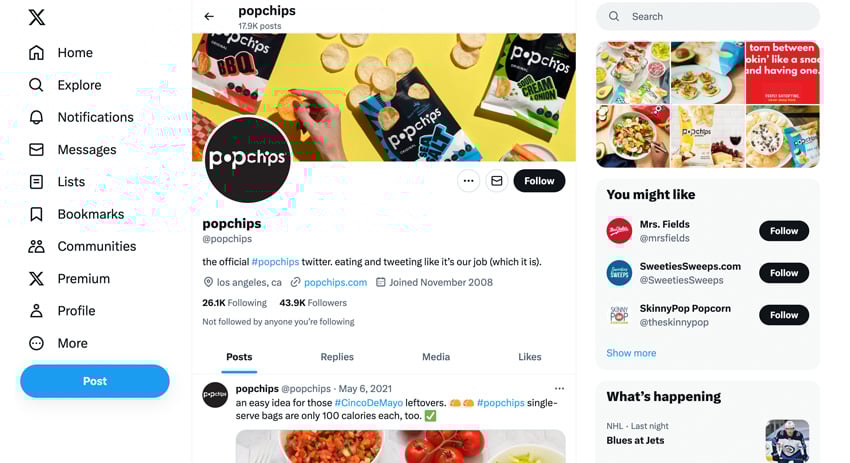
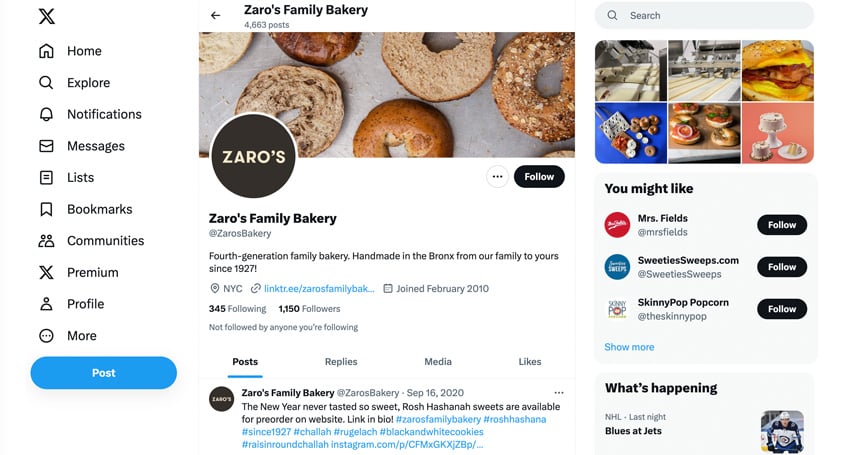
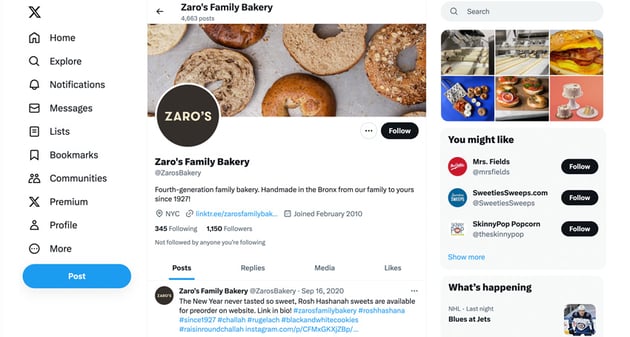
If you opted for the tagline approach, consider what you'd say if someone asked you to briefly describe your business. Zaro’s Bakery is a great example of making a quick point of what matters most for their brand:
If you chose to include keywords, consider including them as hashtags to increase the chances of appearing in search results.
Another approach to your bio is to include a call to action. Many business owners use this approach to invite their followers to click the link in the profile for a discount or a freebie.
Make sure to fill out your bio to its full potential. Keep in mind that some networks have the option to enter a long description on top of your bio. So, take advantage of this to share the most relevant information about your business and your brand.
Know that you don’t have to use the exact same description on every social profile, but you should keep it similar and use the same keywords. You want consistency in how you market your brand to fans, and a social media profile isn’t any different.
In a nutshell, a great social media bio:
- Explains who you are and what you do.
- Shares your personality.
- Targets your niche audience with specific keywords.
5. Location Matters
As we mentioned before, location is crucial for small business owners targeting a local audience. If you haven’t included it in your social media profile yet, you’re doing yourself a giant disservice. Some social media networks like X (formerly Twitter), don’t allow for much information by way of location.
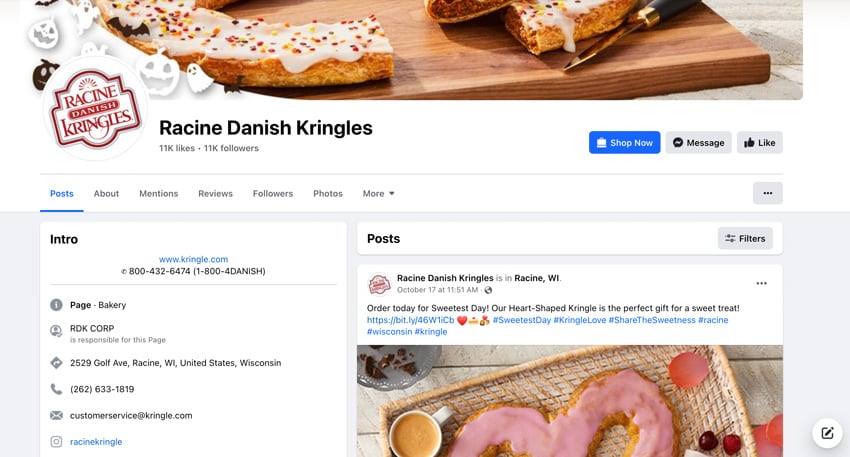
Some, like Facebook, allow you to include your address, your local phone numbers, and even your exact location on the map. You should fill out all the relevant fields, especially if you've got a physical location and want people to come to your brick-and-mortar business like Racine Danish Kringles does on their Facebook page:
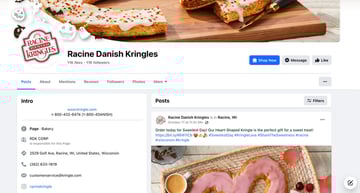
If you’re not a brick and mortar, but still want to target your local audience, then including your city and state is advisable without giving away your actual address. For those social media networks that allow you to enter your contact information, include your preferred way of contact, be it an email or a phone number.
Learn More About Professional Social Media Strategies
Want to learn even more about ways you can effectively use your social media account for professional purposes? Check out these free resources, right here at Envato Tuts+.

 How to Use Social Media for Small Business (Beginner's Guide)

 9 Best Performing Social Media Post Types (And How to Use Them)

 10 Best Digital Marketing Tools to Help Your Business Perform Better in 2025


 How to Use LinkedIn Effectively (Beginner Quickstart Guide)


 How to Write a Great LinkedIn Recommendation (+Helpful Examples & Video)


 Launch Day: Generating Initial Buzz for Your Startup

Need Help with Your Social Media Content? Check out Envato Elements!
Creating content and maintaining an active and engaged social media account is a lot of work. Envato Elements can help make the whole process easier. Imagine one place where you can get social media templates, images, fonts, sound effects, video, and more, all for one, low price.
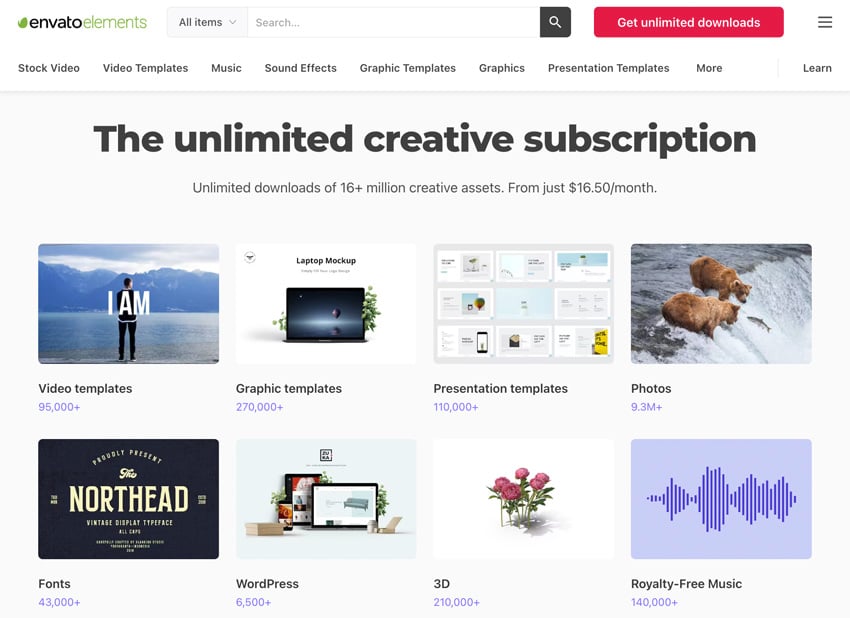

Here are some ways Envato Elements can help you take your professional social media efforts further, faster:
- Need some help crafting engaging posts? Envato Elements has amazing social media templates you can use to create professional, beautifully designed content.
- How about stock images, illustrations, or fonts? They're all included too.
- Working with video? You can download dynamic transitions, stock video, and motion graphics on Envato Elements too.
And all this content is included for one, low price. It's an amazing resource for creative professionals. Take advantage of unlimited downloads today.
Making the Most of Your Social Media Profile
Optimizing a social media account may seem daunting at first, especially if you’re just starting out with social media marketing. But the good news is that it’s relatively easy to maintain a professional profile, and it doesn’t take much time to do. Once you’ve done it, you probably won’t have to spend much more time on it, other than making sure your information is still up to date.
Having an optimized social media profile is crucial for making a great first impression with potential customers and clients. So, put the tips above into practice and make sure to fill out every field available.
Editorial Note: This content was originally published in 2016. It's been updated for accuracy and relevancy by Daisy Ein.
 By
By



