


Unless you’re a senior level manager, executive, or you've got one of those jobs where licenses and certifications are required, you may not need a second page for your resume. A one-page resume is enough.


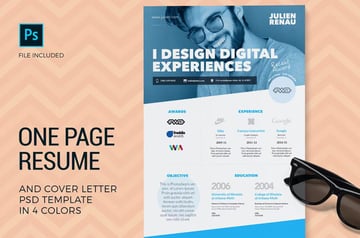
You might look at your resume and feel that everything there is crucial and can’t be deleted.
Let’s get real though!
If your resume is two or more pages, you’re not making a serious effort to write a tailored and concise application. In this article, you'll learn how to create an effective one-page resume. We'll also share some great templates for one-page resumes from Envato Elements.
Jump to content in this section:
- Remove Unnecessary Information
- Use Smaller Margins
- Try Creative Resume Formats
- Use Smaller Fonts
- Use Bullet Points
- Consolidate Contact Information
- Create Quadrants to Divide Your Resume into Sections
- Reduce the Size of Your Contact Information and Address
- Use Multi-Purpose Lines
- Use Numerical Figures Instead of Spelling Them Out
- Remove Repetitive Bullets
- List Only Self-Explanatory Awards
- Remove Unnecessary Information About Your Education
- Trim Your Resume Summary
- Remove Unnecessary Headers
- Use Acronyms Wisely
- Remove References
- Remove Hobbies and Interests
- Write Your Name and Job Title
- Write a Summary
- Remove Unnecessary Elements to Save Space
- Revise Sections to Fit Your Needs
- List and Rate Your Skills
Make Your Resume Fit on One Page (Quickstart Video)
Are you wondering how to get your resume down to a single page? Do you need to know how to do it right now?Our quickstart video can help. We'll provide tips and instructions for how to shorten your resume.
To learn more about one page resumes, continue reading the tutorial below.
Should a Resume Be Only One Page?


There’s no simple answer to this question. The perfect resume length depends on your professional situation.
Only professionals with more than 10+ years of experience or lots of certifications and achievements should have a two-page resume. Entry level candidates and even those with a few years of experience under their belt, can benefit from writing a concise single page resume.
According to ere.net, a survey from ResumeGO conducted a study with 482 professionals. Recruiters were 2.3 times more likely to prefer two-page resumes for experienced individuals. This means that your resume length should match your experience level.
So, one-page resumes are great for those with less work experience and can fit it all on one page. But more experienced individuals should use a two-page resume.
Think of your resume like a movie highlights reel. Only the best action scenes are included to build hype and intrigue people into watching the movie.
Of course, it’s hard to believe how you could benefit from a one-page resume when you’ve been accustomed to a two-page resume. Below are several benefits of using a single page resume:
- A single page resume stands out because most applicants send two pages or more.
- Your achievements and qualifications are easier to spot on a one-page resume because there’s less stuff to read.
- Many recruiters, especially those hiring for entry level jobs, claim they don’t read past the first page of an application.
18 Quick Tips: How to Fit Your Resume on One Page
It’s true, both students and professionals add more qualifications to their resumes today. There are more awards, self-study courses, internship projects, software skills, and extra-curricular activities available today compared to a few years back.
Unfortunately, it’s also the sheer number of these experiences that makes it hard to cut your resume’s length. Below are 18 tips that'll show you how to make your resume one page:
1. Remove Unnecessary Information

If you want to know how to make a resume fit on one page, remove any information irrelevant to the job you’re applying to. Only focus on relevant experience for the job you're applying to.
So, if you're applying for an Engineering job, the sales job that you worked one summer isn’t relevant, and you should take it off your resume.
2. Use Smaller Margins
Don’t be afraid to play with the margins of your resume file. The default margin in MS Word is one inch or 2.54 centimeters on all sides. If you reduce that just a tiny bit, you can squeeze in more information on your resume.
If you’re not sure what the ideal margin size is, try adjusting all the sides to 0.5 inches while keeping the bottom at 0.65 inches. Continue adjusting the margin size until you find a combination that’s just right.
Make sure you save your resume in PDF to preserve the margins of your resume when it’s printed.
3. Try Creative Resume Formats
Try using double columns or different resume layouts to fit more information into one page. For instance, use a two-column format with a small right-hand side column where you can fit your skills and other contact information.
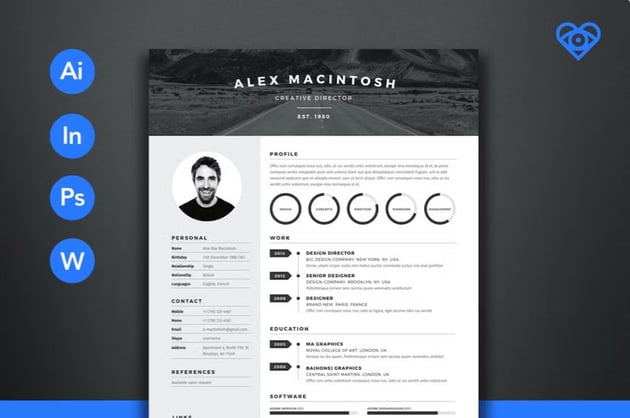
The resume template below has a creative format that makes full use of a three-column layout without making the one-page resume look squished.
Here are some creative resume templates you can consider when shortening your resume:

 20 Dynamic and Creative Resume Templates: For Professional Jobs (2024)


 25+ Premium & Free Creative Resume Templates (Word & PSD Downloads for 2024)

4. Use Smaller Fonts
Wondering how to make a one-page resume? That’s easy: use smaller fonts.
"Use a smaller font for your headings and the main text in your resume. Most resume writers recommend starting with 12 point font, but you can shrink it to a minimum of 10 point if need be", says Austin Belcak, Founder of Cultivated Culture, a website that helps applicants get jobs even if they don't have a referral.
The important thing is that your resume is still readable without zooming in.
If the text looks too compact, try adjusting the line spacing so it’s easier to read. Consider the two examples below for a comparison.
Resume sample: Georgia Size 10, single spacing


Resume sample: Georgia Size 10 but with 1.15 spacing


5. Use Bullet Points
Use bullet points instead of paragraphs. Write in short sentences, up to two lines at the most. Use keywords, numbers, and power words to come up with punchy statements without fluff.
6. Consolidate Contact Information
Combine all your contact information in one line and don’t put your whole address anymore. There’s no need to have a separate line for your email, phone, and address because you’re not writing a business letter.
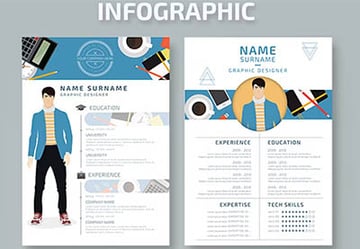
7. Create Quadrants to Divide Your Resume into Sections
People generally read resumes from left to right. That means a lot of the space in the right-hand side of the page goes to waste.
The infographic resume template below makes excellent use of quadrants to divide the resume into different sections and maximize margin space.


8. Reduce the Size of Your Contact Information and Address
Some people think this part of their resume needs to look fancy and attention grabbing. It doesn’t. If a recruiter wants to contact you, they'll find this information. But until that happens, they’re only focused on your qualifications.
Don’t waste the limited space on a one-page resume on your contact information. Just make sure your name and primary job title are slightly bigger than the rest of your resume, and then use a smaller size for the rest of the text. You can even use a slightly smaller size for the contact details because it’s not as important as your job experience and skills.
9. Use Multi-Purpose Lines
Look for opportunities to combine information into one line, such as your address and contact information, or your listed skills. Another example is combining your job title, employer’s name, and employment duration in one line instead of two.
Here’s one creative example for executives on how to get resume to one page:


10. Use Numerical Figures Instead of Spelling Them Out
Numerical figures occupy less space compared to the spelled-out version. Numbers also grab attention, so it’s a good way to draw a recruiter’s attention to certain parts of your resume.
11. Remove Repetitive Bullets

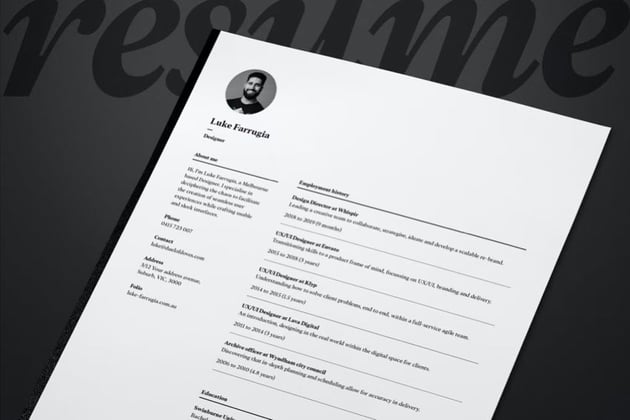

Use three to five bullets at most as a way to force yourself into selecting only the best skills and accomplishment for each role.
A quick way to do this is to remove tasks where you didn’t excel. You should also remove repetitive mention of the same task because the recruiter doesn’t need to read this many times. For instance, if you had customer service tasks at all your three jobs, only mention this skill at the company where you won an award or have a notable accomplishment.
12. List Only Self-Explanatory Awards
Don’t list awards that you need to explain for recruiters to appreciate. Recognition for sales, productivity, client satisfaction, customer service, are self-explanatory. Awards for innovation, best agent, or top performer need explanation. They would probably take more space.
13. Remove Unnecessary Information About Your Education
Only fresh graduates need to include their graduation year on a resume. Working students can benefit from including their high school information. But that’s no longer needed once you get your degree.
Those who have a few years of employment under their belt need no longer list their graduation year. Just write the degree you've got and where you got it. Employers want to make sure that you've got a degree, that’s all.
If you're a new graduate, though. You may want to feature your education a bit more. Here's an article to help with that:


14. Trim Your Resume Summary
Remember, a resume summary is supposed to summarize your best qualities for the job. It shouldn’t have more than five lines for an introduction or 10 plus bullet points. If your resume summary is this long, there’s a chance that the recruiter won’t read through all of it because it’s obvious you didn’t bother tailoring it to the position they’re filling.
Trim your resume summary to three lines of text and five to seven bullet points max. Read the tutorial below for a complete guide on how to write a resume summary that works for a single page resume.


15. Remove Unnecessary Headers
The resume summary and contact information don’t need headers of their own. It’s obvious what they are so you don’t need to waste a few lines on them. If you've got volunteer and corporate experience, you can also combine this into one section to save space.
16. Use Acronyms Wisely


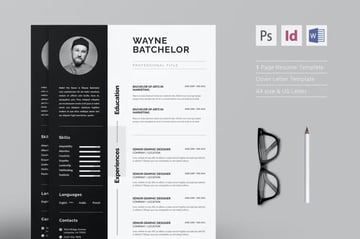
Use industry-accepted acronyms for tasks related to your job. For instance, write “P&L” instead of profit and loss statement to save space. “R&D” is also a completely acceptable replacement for research and development.
Don’t use this technique for skills and licenses though. The Applicant Tracking System (ATS) some employers are using might search for the whole phrase and not just the acronyms. You don’t want your application to be ignored just because you want to save space.
17. Remove References
References can make your resume into a two-page resume. But if you want to make it into a one-page resume, you should remove the references unless the job specifically asks for them. Most of the time, they aren’t necessary and take up extra space.
18. Remove Hobbies and Interests

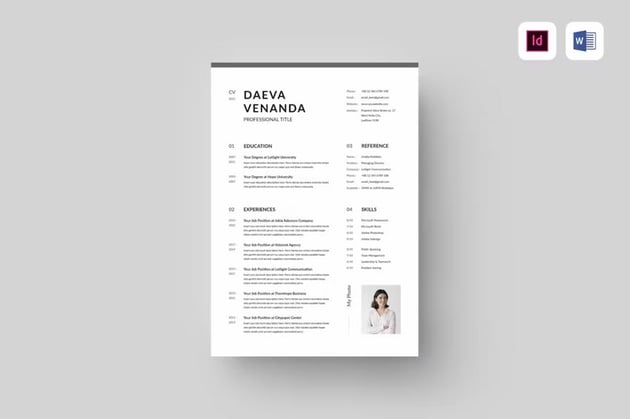
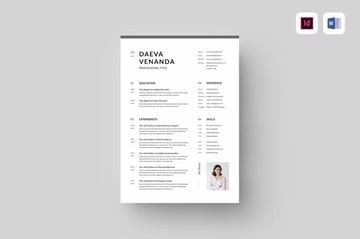
Removing hobbies and interests can be one way to make a resume fit on one page.
Most of the time, hobbies and interests aren’t necessary. Only include them if you want to fill up space on your resume and if they're relevant to the job that you're applying to.
How to Quickly Make a One-Page Resume in Word (With Templates)
You've just learned how to make your resume fit one page. Now it's time to learn how to use a template for your one-page resume.
You can create a simple resume template yourself by using Microsoft Word. But that might take hours of inserting tables, columns, and headers. Instead, you've got hundreds of options when it comes to easy-to-edit MS Word Resume Templates on Envato Elements.


Let's take a closer look at how to fit a resume on one page using this template:
1. Write Your Name and Job Title
Select the correct text box then fill it out with your information. In the example template below, that’s the name and job title.

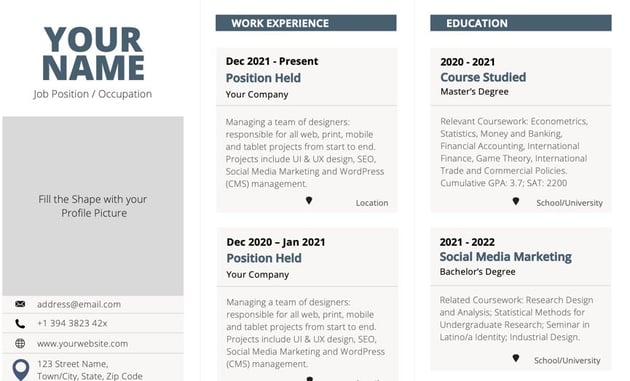
2. Write a Summary
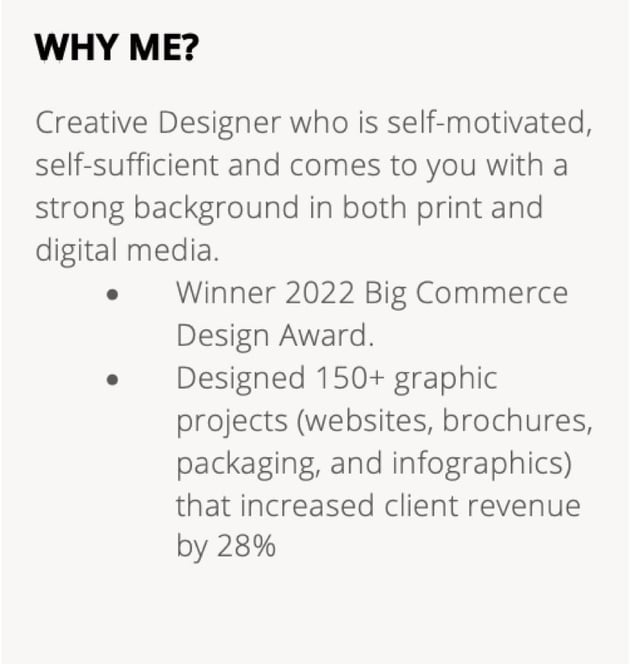
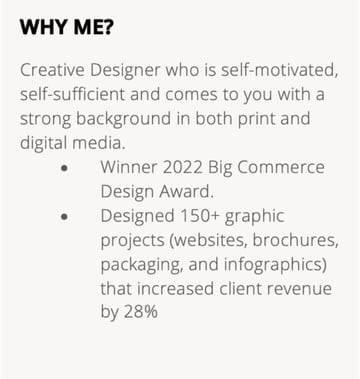
Use a small font and a combination of two to three paragraphs and up to five bullet points if there’s not enough space in the box allotted for your summary.
Here’s what it looks like on the template:


And here’s what it looks like using bullet points:

3. Remove Unnecessary Elements to Save Space
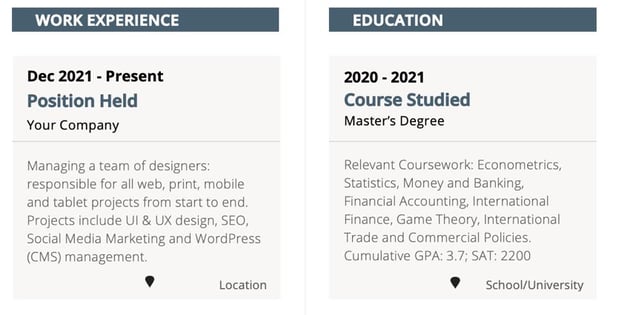
In this case, remove the text box for the location of each job entry. Combine the lines for “Position Held” and “Your Company” (Employer’s name) to save space.
Unless your degree is specialized, combined or need any explanation, you can also remove the text box for the education section.

4. Revise Sections to Fit Your Needs
These templates have a section for “Certificates.” But feel free to revise that section header to “Continuing Education” to include seminars, licenses, or other qualifications. If you don’t have anything to list that could be considered as continuing education, use this section for awards or another job entry.

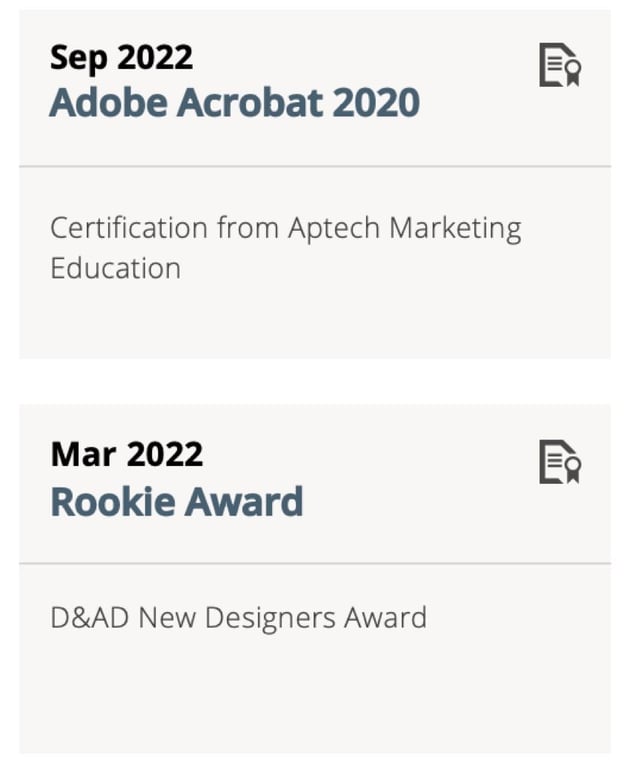
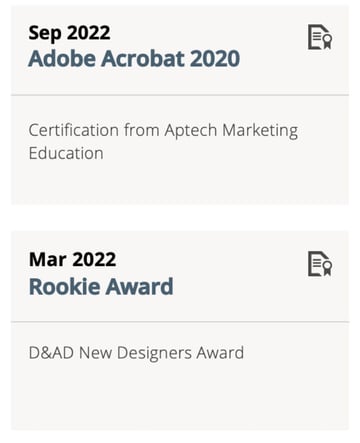
Just rename the header name to the appropriate title and revise the boxes below to include the information you would like.
5. List and Rate Your Skills
Choose 10 skills, preferably a combination of technical, job-specific, and soft-skills. Write them on your resume grouped according to the skill type, then rate yourself on a scale of one to five.


Do you want to use another template for your resume? Check out this post to find more one-page resume template designs:


Top 5 One-Page Resume Templates From Envato Elements
As mentioned earlier, Envato Elements is one of the best places to find top quality one-page resume templates. The templates from Envato Elements have modern designs and can easily be customized to fit your style.
Some of them also include a matching cover letter as well as a business card design. So, you get the complete package to wow potential employers.
Here are some of the best one-page resume templates from Envato Elements to build your resume in 2023 and beyond.
1. Resume — Elegant One-Page Resume Template


The first resume on this list has an elegant and simple design. The template is easy to customize and comes in Illustrator format.
Add your own photo, change colors and fonts. Style it to match your look. The template also includes a matching cover letter.
2. Resume CV Template 24


This resume template has a grid-based layout and four different quadrants to make organizing the information easy. Edit the template in Photoshop and Illustrator. It was designed in A4 size.
3. CV Resume Professional


Try this resume template if you’re looking for a clean resume that’s easy to edit. With Illustrator, Photoshop, and Word versions, you can easily customize this template in the program you’re most familiar with. The template also has well organized layers and comes with a complete list of fonts used.
4. One-Page Resume CV


This resume template is perfect if you’re looking for something completely customizable. The template comes in three different color versions. It includes a resume template as well as a matching cover letter. You’ll also find a list of fonts and a help file.
5. CV Resume Vol.2


Here’s another clean and simple resume template that fits on a single page. Edit this template in Illustrator and Word. Add your information, customize the colors, and change fonts. The template comes in A4 size.
Frequently Asked Resume Questions
Do you have questions other than does a resume have to be one page? Here are some common resume questions and answers:
1. How Do I Include Freelance Work on My Resume?
There are several problems people run into when adding freelance work to their resume. Some of these problems include:
- What job title do I give myself?
- How much detail do I include about my projects?
- I have a freelance job and work full-time. Do I include both?
These are all good questions that are answered in this article:


2. How Do I Personalize My Resume in Microsoft Word?
There are many different ways to personalize your resume in Microsoft Word. One of the ways is to install a font. Many premium templates come with a unique font that you can install to make your resume stand out. To find out more ways to personalize your resume in Microsoft Word read this article:


3. How Do I Make My Resume Stand Out?
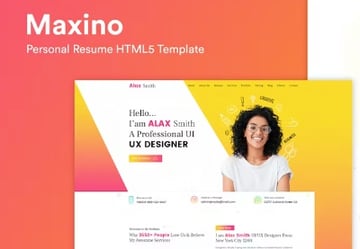
You can make your resume stand out by using different types of resumes. For example, you could use a personal one-page resume website template that is unique but not off-putting to hiring managers. This article has more creative resume ideas:



4. How Do I List My Skills On My Resume?
Listing professional skills on your resume is important. Both hard and soft skills can go on your resume. To find out how to effectively list skills on your resume, read this article:


5. How Do I Email My Resume?
Most of the time, you apply for jobs online. This could mean that you need to email your resume. When emailing your resume, you need to be able to do it professionally. For a quick guide, read this article:


More Awesome Resume Templates
One-page resumes are great if you’re just getting started. But if you’re a seasoned professional or if you need more pages, there are plenty of other resume templates on our marketplaces. Check out the articles below to see even more great resume template designs.

 30+ Best Infographic Resume Templates (Creative Examples for 2024)
-
20 Dynamic and Creative Resume Templates: For Professional Jobs (2024)
.jpg)
.jpg) 25+ Attractive (Eye-Catching) Resume (CV) Templates With Stylish Aesthetics 2023
25+ Attractive (Eye-Catching) Resume (CV) Templates With Stylish Aesthetics 2023

Learn More About Building a Great Resume
Creating a great resume isn't easy. Luckily, we've got plenty of tutorials to help you out. Learn more about creating a great resume with these tutorials:

 How to Make Your First Job Resume Stand Out


 How to Best Use Resume Action Words (+117 Powerful Verbs)

 19 Phrases You Need to Cut From Your Resume Right Now
Build Your Single Page Resume Now
Should a resume be only one page? There are no hard and fast rules when it comes to the right resume length. It all depends on your job history and whether you’re exploring a new career in a different direction.
If you do need a one-page resume, remember that it’s totally possible to squeeze in all the important information in your once two-page resume into a single-page resume. You just have to get creative in your formatting and design and get selective about the information you include. The tips listed above on how to make a one-page resume should help.
Using the right resume template will make this easier for you. Envato Elements has a wide selection of resume templates that you can easily edit on Photoshop or MS Word.
Editorial Note: This tutorial was originally published on March 28, 2019. It's been revised to make it current, accurate, and up to date by our staff—with special help from Brenda Barron and Sarah Joy. A video has been added by Andrew Childress.
 By
By



