

Are you having trouble starting your executive summary? Are you still deciding if you should even use a Microsoft executive summary template?
Executive summary templates for Word give you a leg up over the competition. You can instantly start with a professional design that stands out.


Executive summary templates for Word help you deliver a high-quality document. Templates will help you quickly create an effective executive summary that's easy to understand.
You need to summarize your company's information when creating an executive . But you also need a professional-looking presentation. If your presentation looks unprofessional, the executive summary won't be as effective. This could lead your superiors to the wrong decision.
You already have the components you need to create a stunning-looking document with a template. Just collect your information and insert it into the document. It's as easy as that. You save time and money. You don't have to spend countless hours on a mediocre design. You don't even need to spend hundreds of dollars to hire a designer.
Check out all the top-selling executive summary templates for Word available on Envato Elements.
Best Premium Executive Summary Templates For Word on Envato Elements (With Unlimited Use)
With a premium executive summary template Word, you're guaranteed a professional looking design. If you're looking for the best executive summary templates on the web, then Envato Elements is the right fit for you. For one low monthly fee, download as many Microsoft executive summary templates as you want.
With the low monthly payment, you can download all the resources available on Envato Elements for your job such as:
- web themes
- photos
- presentation templates
- and more
The entire library of Word docs is yours to download!
With an Envato Elements business executive summary template Word, you'll have modern designs that are fully customizable.

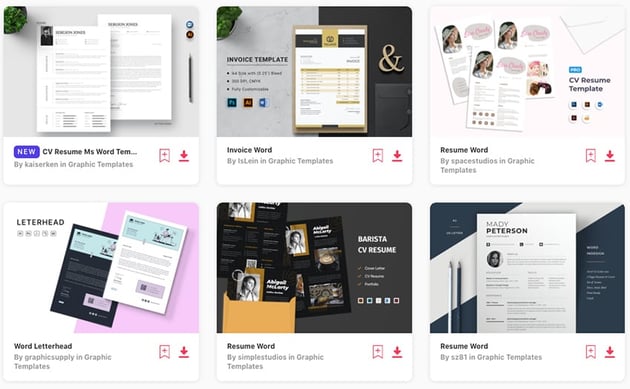
Need a head start on finding the perfect executive summary template for Word? In the next section, we'll show you five of the best-selling templates.
5 Premium Executive Summary Templates For Word on Envato Elements (For 2024)
There are many high-quality Microsoft executive summer templates available on Envato Elements. There are also many documents that can be used as an executive summary. To help you with your search, we've collected five top-selling templates to use as executive summary templates Word:
1. The Company Profile Word Template


This executive summary template possibility is a complete template. It's got a modern design, plenty of room for you to add your summary, and is fully customizable. The color scheme is lighter black, blue, and grey. This color combination helps you build trust with your audience.
Here are a few notable features for this executive summary Word:
- Adobe InDesign Cs4 or Later ( .Indd ).
- MS Word Template Included( .Docx )
- 16 Pages layout
- Print-ready - 300 DPI
- Uses Free Fonts
2. MS Word Identity Proposal & Report


Use this as a business executive summary template Word. It's got a unique color scheme that's sure to make an impression on your clients. The design features many different visually appealing graphics and images. What makes this business executive summary template unique is its layering. The elements on the pages really pop out and look three-dimensional.
Here are the main features for this executive summary template for Word
- A4 letters, contracts, many different layouts
- 50 different pages to illustrate any type of project / brand / idea
- detailed infographics and graphs
- all pages have a clean consistent design
3. Proposal


This proposal makes a great minimal executive summary template for Word. It's got a minimal and professional design. The color scheme helps make this template Word seem easy to digest for the reader. If you're looking for an all-around executive summary template Word, this is the template for you.
Here's what you can expect from this executive summary template:
- A4 size : 210×297 mm
- US letter size : 8.5×11 inch
- CMYK @ 300 DPI – print-ready
- 32 pages overall
4. Marketing Plan


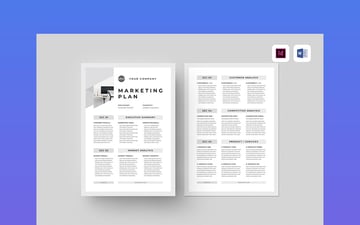
- four page document
- Word & Adobe InDesign files included
- help files included
- fully editable
5. The Company Profile


- 16-page layout
- print ready
- easy to edit colors, text, and images
- free fonts used
20 Top Free MS Word Executive Summary Template Examples to Download (2024)
Before looking for free executive summary templates on the web, check Envato's free offerings first. Try out various premium template files (not always executive summary templates) at no cost to you.
.jpg)
.jpg)
.jpg)
Here's the deal:
- Every month Envato Elements offers 12 different hand-selected files, (fonts, presentations, videos, and more). Create a free account to download this month's free premium files now.
You can adapt many Word documents to use as executive summaries with a few changes. Let's now have a look at the best free Microsoft Word Docs that can be used for your executive summaries:
1. Executive Summary Template for Crisis Management
This free executive summary template will work for any type of executive summary. The template is very minimal and contains the basic sections for an executive summary.


2. Blue Gradient Memo
The blue gradient memo can be used for your free executive summary template. It contains a blue gradient header and footer and blank page for you to enter your executive summary.
3. Executive Summary Template for Annual Sales
This is a black and white free executive summary template that features one-page. You can expect two different types of tables in this template.
4. Annual Report Template
The Annual Report Template has three different pages. They can be adapted to fit your executive summary. This free executive summary template includes a cover page.


5. Business Case Proposal
You can also expect two different tables in this free executive summary template. There are seven sections in total to add your executive summary content.
6. Business Development Proposal
This business development proposal can also be adapted to an executive summary document. The size of this Word Doc is only 183kb.
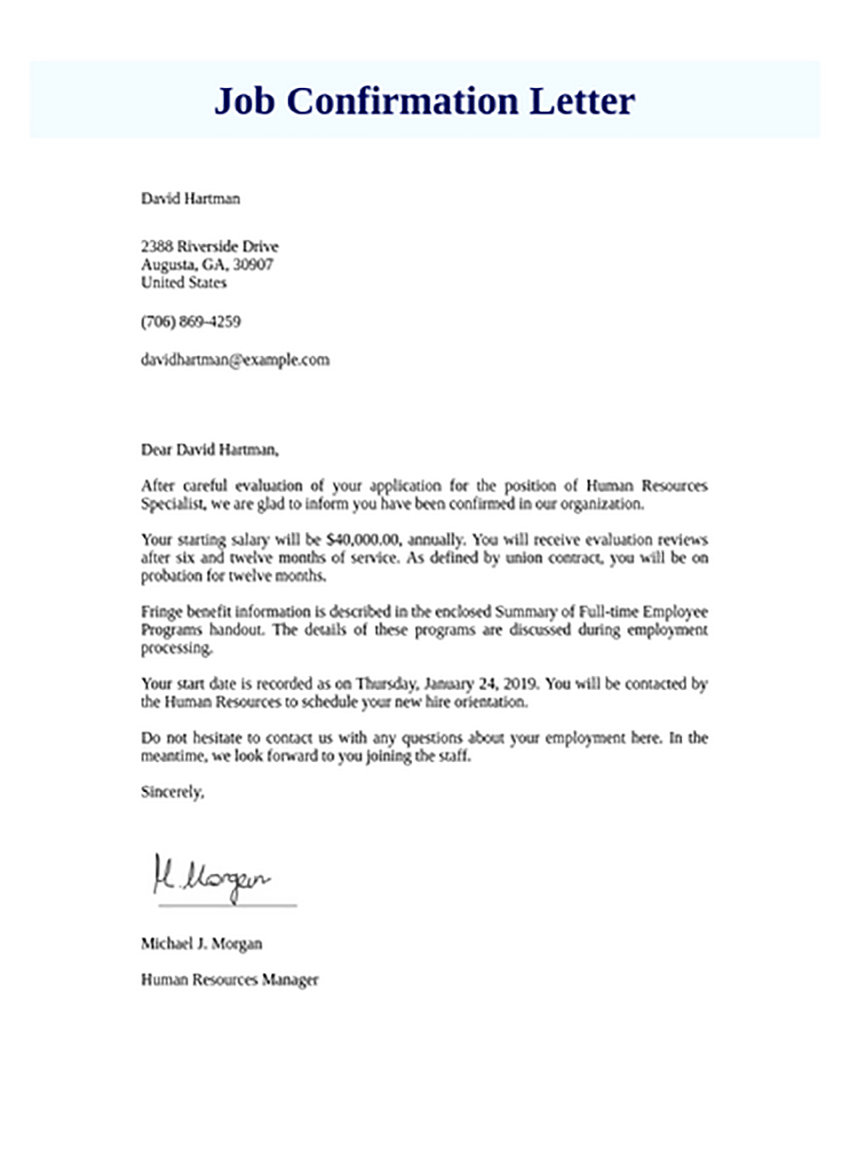
7. Employment Confirmation Letter
This is a bare-bones free executive summary template that can easily be manipulated to any type of document. No graphics or images are included.


8. Business Letter Template
This is another bare-bones free executive summary template that's got a Microsoft Word 2003 and 2007 version. The heading of the business letter will be useful for your executive summary.
9. Letter of Introduction
This is a one-page free executive summary template. The whole template is customizable.
10. Marketing Business Proposal
You can expect a 30 kb file that was created in 2015. The Marketing Business Proposal was downloaded over twenty-eight thousand times.


11. Elegant Simple Memo Sample
This is essential a blank Doc free executive summary template. This will allow you to design your executive summary template any way you would like.
12. Letter of Intent Template
The download of the Letter of Intent Template is 18 kb. The top of the document has space for your company's information.
13. Audit Proposal
There's a section for your client and company's information as well as a main body area in this template. The download of this template is 33 kb.


14. Business Plan
Business plan templates work well as executive summary templates. Use this free executive summary template to detail specific research you've done for your company.
15. Management Consulting Proposal
This free executive summary template is divided into many different sections. This allows you to have a more detailed executive summary template for Word.
16. Partnership Agreement
Four sections are included in this template. You can easily transform the partner agreement into an executive summary.


17. Simple Resume
Resume templates offer you an easy way to create an executive summary. The template is fully customizable.
18. Very Simple Memorandum
This is a stripped-down free executive summary template that can be transformed into anything. The download is 38 kb and can be used in all Word versions over the last ten years.
19. Professional Manual
This professional manual template contains a title page, copyright page, and table of contents. All of it can be customized to be in executive summary format.


20. Big Title Blue Sidebar
Featured is a blue sidebar that and a main body section on the free executive summary template. It features 183 kb file has over fourteen thousand downloads.
Need a few quick tips to help you get the most out of your executive summary template? Be sure to check out the next section!
How to Make a Great Executive Summary in Word Quickly
Now that you've got your executive summary template, it's time to customize it. We'll add in your content, style it for your company's brand, and get it ready for presenting.
For this tutorial we'll use the premium template, Proposal/Brochure.


1. Pick Out Your Pages
Before you can begin editing the template, choose the pages you'll use. Not all the pages provided will work for your executive summary.
Let's delete the pages we don't need. To do this, delete all the content on the page and then press backspace again on the blank page.


2. Add in Your Content
Next, it's time to add in your executive summary content. The template has text placeholders that you can easily replace. Add in the content by double-clicking the placeholder text and then pasting it in.


3. Add in Images
Many templates have image placeholders. To add in your images, click the main menu tab Insert. From there, choose the Pictures option. Then choose the Picture from File... option. You can then choose the image you want on your page from the files on your computer.


4. Change the Color Scheme
Chances are, the color scheme of the template doesn't fit your company's.
To change the color scheme of the template, choose the Design tab. Next, choose the Colors option. From there a drop-down list of many color schemes appears for you to choose from.


5. Proofread the Summary
Too often professional documents don't get proofread. Make sure that you proofread the entire executive summary. Any grammatical mistakes will make the summary look unprofessional
Let's now go over five quick tips for making executive summaries.
5 Quick Tips To Make Executive Summary Documents in Word 2024
We'll cover a few tips that can help you take your executive summary templates to the next level.
1. Use a Straightforward Color Palette
Executive summaries are meant to get straight to the point. This helps the reader make an informed decision. Color schemes that have limited colors work well here. This allows the reader to focus on the content without being too distracted.


2. Lead With the Main Message
On the first page of your report it's best to start with your main message. There's no need to beat around the bush here. Get straight into your main message of the summary. This will help your audience process the information much easier.
3. Include Your Logo
Executive summaries might not always be given to employees or the boss in your company. They may also be given out to other companies as well. This leaves an opportunity to brand your executive summary. Now, when you use a stunning-looking design, the reader will know it was from your company.


4. Don't Cram in too Much Information
Adding too much information in your executive summary can confuse your audience. Your main message is the most important part of the executive summary. For each piece of content you add, ask yourself,
"Will this help the reader make an informed decision about the topic I am presenting?"
5. Include Images
While this may seem like an obvious tip, using images is a must. People often forget to use images in an executive summary, but it adds a great deal of interest. You don't want to go crazy with the number of images you add. Add just enough to highlight points and keep the interest of your reader.


Looking for even more business executive summary templates? In the next section we'll go over even more best-selling template designs.
Top 5 Executive Summary Design Trends 2024
Having a solid design for your executive summary is necessary in 2024. Below are a list of the top five design trends that you can add to your executive summary today:
1. Change Font Sizes
Font sizes help signal to your reader what a title is and what body text is. Having much larger font sizes for your titles is a trendy look that works well to add a flare.


2. Keep Pages Short
It can be tempting to add a ton of text to each page in your executive summary. Keep your text brief on each page. Only include the necessary information for your executive summary.
3. Include Charts & Graphs
Charts and graphs add a great deal of interest to your executive summaries. They also help your audience interpret your businesses data in a more visual way.


4. Use a Bright Highlight Color
Using a bright highlight color really draws attention to your executive summaries pages. This can help make the summary easier to read. Colors such as yellow, orange, and red work well here.
5. Add Shapes
Adding solid colored or outlined shapes to your designs background can add much needed interest to your executive summary. Try adding circles, rectangles, and squares.


Discover More Top Microsoft Word Template Designs
Still haven't spotted an executive summary template that'll work for you? No problem! There are plenty more best-selling Microsoft Word templates that you can download. Check out the articles below for access to these templates.

 Best of 2024: 28+ Microsoft Word Document Templates to Download Now


 16 Best Free Marketing Plan Templates for Word to Download for 2024

.jpg)
.jpg) 20 Best Free Pages & MS Word Resume CV Templates (Download for Mac 2023)
20 Best Free Pages & MS Word Resume CV Templates (Download for Mac 2023)

Looking to harness the power of Word to create stunning documents? Don't miss the next section.
5 Benefits of Using Premium Word Templates With Pro Designs (In 2024)
Are you still deciding whether to purchase a premium template?
Here are the top five reasons on why you download a premium Word template from Envato Elements:
- You save time. It can take hours to design an executive summary template for Word yourself or even to receive a design back from a graphic designer. When you download a premium template, all you need to do is input your text and images.
- Templates are fully customizable. Templates are fully customizable. If you don't like anything on the design, you can customize it to fit your needs.
- You can generate ideas. The templates available on Envato Elements have varied designs. These designs can help inspire new ideas for your design that wouldn't have thought of otherwise.
- You save money. Professionally designed executive summary for Word templates cost a fraction of the price of hiring a graphic designer.
- The slides stand out. Most people don't use professional templates. Using one will help you stand out from the crowd.
Benefits of Envato Elements (The Power of Unlimited Use)
Envato Elements is a unique service. It's a flat-rate subscription that includes thousands of great Microsoft Word templates for a single flat-rate price.
Sign up for Envato Elements. You'll get access to thousands of unlimited-use graphics and templates. Choose from web themes to Word templates, and more—all for one low price.


Common Executive Summary Questions Answered (FAQ)
Executive summaries can be difficult to create. We're here to help you out with your executive summaries. Here is a list of commonly asked executive summary questions and answers to them.
1. What Should Be Included in an Executive Summary?
An executive summary should have these three components.
- an explanation of why the research or project was performed
- the results of the research or project
- how management should alter their strategy based on the results
Learn more in this tutorial:


2. Do I Need to Capture the Audience's Attention?
Yes, you do. Even though the summary is a research-based report, you need to make it interesting. Adding images and adding a little creative writing can help.
3. Should I Cite My Research?
Yes! You'll need to support all the claims that you made in your executive summary. Cite the research in your footnotes. Here are some tutorials to help you:
.jpg)
.jpg) How to Cite PowerPoint Presentations in APA & MLA Formats
How to Cite PowerPoint Presentations in APA & MLA Formats


 What Is the Difference Between Paraphrasing and Summarizing?

4. What Format Should I Use?
There's no clear-cut format for an executive summary. Make sure to review specific guidelines that you were given for the summary. All executive summaries should be clear, concise, and written in a professional voice.
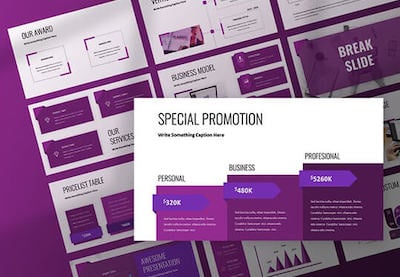
This article is about Microsoft Word executive summary templates. But there are also premium executive summary formats available for PowerPoint:


5. How Long Should the Executive Summary Be?
The summary should be between one and four pages. The length mainly depends on the business plan or investment strategy.
Let's now look at even more resources to help you make great Word documents.
Learn More About Making Great Word Documents in 2024
Microsoft Word is an incredibly powerful piece of software. Learning how to use this software can be quite a daunting task. We've collected three articles that will help you create better documents.
Before you take a look at the articles, we encourage you to check out this in-depth Word tutorial for beginners.

 How to Quickly Find, Edit, & Use Microsoft Word Templates (MS Theme Files)


 How to Quickly Create & Save a Microsoft Word Template (+Video)


 How to Quickly Make Annual Reports in Microsoft Word Format With Templates

Get Your Premium Executive Summary Template Today!
Everyone can download one of the free executive summary templates available. But many of these free templates offer only text. This won't be the best option for you to present your summary.
As a subscriber to Envato Elements, you get access to millions of professional assets. This includes Microsoft Word executive summary templates. Don't miss out on this opportunity to download a premium executive summary template. Start of your executive summary with a stunning-looking design.
Get your premium executive summary template in MS Word from Envato Elements. Subscribe and download one now!
Editorial Note: This post has been updated with contributions from Daniel Strongin. Daniel is a freelance instructor for Envato Tuts+.
 By
By


