


Your annual report cover design is an essential part of connecting with your audience. This is the start and first impression for your annual report design, so we want to get it right.

In this article, we'll look at good annual report design. We'll explore what it is and how we can work to achieve it.
Creating the perfect annual report cover design can seem like an intimidating task, especially if you're a beginner. Knowing what to target and how can help take the mystery out of the process.
Jump to content in this section:
- How to Plan and Make an Annual Report Cover Design
- How to Design and Customize a Good Annual Report Design
- Design Tips for Good Annual Report Design
- Looking for More Annual Report Cover Ideas and Inspiration?
- Want to Learn More About Annual Report Design?
- Find the Best Annual Report Cover Design on Envato Elements
- Best Premium Annual Report Samples
- Why Not Begin Your Annual Report Cover Design Today?
How to Plan and Make an Annual Report Cover Design
So, let's start at the very beginning. What is an annual report cover design and why is it important?
An annual report documents the activities within your business for a fiscal year. Be it losses, gains, initiatives, or other noteworthy practices, this is an important document often shared with shareholders, investors, and other important parties vital to your business.
Your annual report cover is like an introduction to an entire year's worth of content. That's what makes it so vital. It's important to make the right first impression and to do so in a way that communicates professionalism.

It's vital that we don't jump into this design task haphazardly. While design (and creativity) can be a lot of fun, there are tried and true methods that we can use, as designers, to confidently create great content. Design isn't a mysterious magical thing—it's a process.
For example, here are some steps to take when planning your own annual report cover design:
Step 1. Plan Your Annual Report Cover Design Strategy
Strategy is a key part of good design. Very rarely is good design a mistake. It's typically the result of extensive research, planning, and purposeful choices. So, before you dig in and start designing it's time to think about your objectives:
- Who are you designing for? It's vital to know your target audience. If you don't know who your target audience is, then it's very difficult to design in a way that appeals to them. The designer themselves is usually not the exclusive target audience in a professional settling. So, keep in mind, just because you personally like an approach doesn't mean it's the best choice for your audience. Consider who your audience is and the best ways to visually reach them.
- What are you trying to communicate? Sometimes, it's easiest to start with simple keywords. For example, you may want to communicate words like "success" and "trust" with your annual report cover design. Once you've got a feel for what you aim to communicate, you can make choices that resonate with those ideas.
- What criteria needs to be met? Think about the technical side of things, too. Will you be printing this annual report? Will it be in full color? Is it digital distribution only? These specs can impact the annual report cover design. It's best to clearly know all the terms of your project before you start designing.
Allot time for considering your strategy. With these questions answered, it'll be much easier to make informed design choices.
Step 2. Research Annual Report Cover Images
If you plan to incoporate imagery into your annual report cover, take some time to research options. Try out more than one image, to see which one works best. Design can often be a lot of trial and error when you're right in the middle of the design process.
Will you use photography? Use copyrighted imagery, licensed for commercial and professional use, for your report cover page. You could use your own imagery or source some professional imagery for your project. Again, make sure your choices here are meaningful and strategic.



Will you use graphical elements in your annual report cover? You might choose to avoid photography and try something like infographics or illustrative elements. They can be plenty communicative too—sometimes in an even more direct way, too.

You could potentially avoid images all together. You could go with an abstract look and feel, or primarily rely on typography to do the visual communication in your layout. This can prove to be a very clean and elegant approach.

Take some time to try out different annual report cover images to find what works best for your design project. Sometimes, seeing it in action can help you make your final decisions.
Step 3. Define Good Annual Report Design
So, what is good annual report cover design? The tricky thing about this question is: the answer is going to vary, depending on who you ask. How then can we effectively address this design problem?
Again, the key lies in your target audience when creating a cover page report.
A good annual report design communicates with the target audience in a meaningful way. This means that your choice of design elements isn't left up to chance.
For example, your branding should be present and consistent to help create a unified presentation. This unified approach can also visually communicate trust.
To communicate excitement, try more saturated colors. To communicate stability, try something more subdued and less energetic--like strong, grounded colors.

This means that a great design for one audience might not be a great design for another audience. Keep this perspective in mind. Know your audience to communicate with them.
Step 4. Consider Your Resources
Turning back to technical requirements, what are your design resources? You've got many choices when it comes to your annual report's design.
- Design your annual report cover yourself. This is a cost-effective solution, especially if you've got the technical know-how and the time to invest in this project. Keep in mind that the design of your cover page business report does take time—and time is a resource. So, prepare to set aside ample time for the design process.
- Use an annual report cover template to create a custom design. This is a great choice if you're looking to get a headstart on your design process. A template can be a great starting point because you can fully customize it as much as you like. You can even completely rework it into a new design.
- Complete your project with an annual report template. If you're short on time and resources, using a template can save a lot of time. This is especially handy if you find the perfect template that checks all the boxes for you. It's also a great solution for beginners who may not have the time to customize the content.
How to Design and Customize a Good Annual Report Design
Next, let's do some design work together and brainstorm some annual report ideas. We'll work with an existing design to point out some of the parts that make it work well. We'll also make customizations to help illustrate some important design concepts.
We'll be using Microsoft Word for this tutorial, and here's template we'll work with:


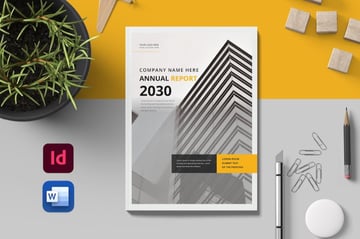
You're welcome to download this template and work along with this walkthrough if you'd like to. Otherwise, you can work in your own MS Word document. Many of these concepts are also transferable to other design software, with some variation in technical practice.
1. Pick What Pages To Use In Your Report
Begin by reviewing the pages included in your chosen Word template. Decide which pages are relevant to your report.
You can remove unnecessary pages by clicking on the thumbnail in the navigation pane and pressing the Delete key. Or duplicate pages you might need more of by right-clicking on the thumbnail and selecting Copy and then Paste.


2. Customize Text Content
Click on any text block to edit the content. Replace placeholder text with your actual report details.
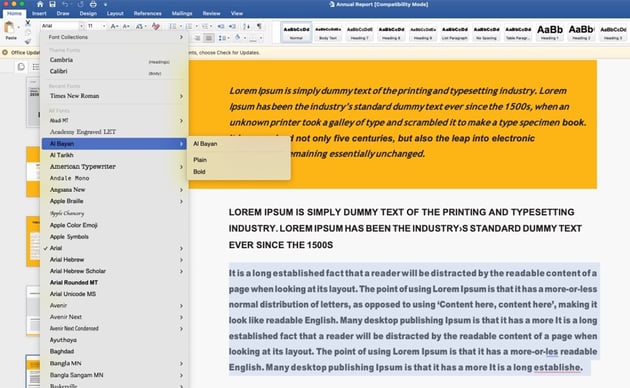
Adjust the font type, size, and color from the Home tab to match your organization's branding or to improve readability. Pay special attention to headings and subheadings to ensure they accurately reflect the content of each section.

3. Adjust Color Scheme
Incorporate your organization's branding by changing color schemes. To modify colors, go to the Design tab. From there, click on the Colors menu and you can choose your color scheme from the drop-down menu.


4. Incorporate Visuals and Charts
Enhance your document by adding or editing visuals. To insert a new image, go to the Insert tab, and select Pictures to add an image from your computer. For existing images, you can resize or format them using the options that appear when you click on the image.


Design Tips for Good Annual Report Design
If you're looking for more report cover page design advice, check out these quick tips. They'll help you make the right design decisions for your annual report design template:
1. "Good" Depends on Your Target Audience
Remember, the idea of good annual report design is very subjective. Even the best annual report cover design out there isn't necessarily going to resonate with every audience in the same way.
The thing that makes the top annual report designs shine is how well they know and appeal to their audience in an effective way.


2. Less Is Often Much More
Design is a lot of fun, and it can be easy to get wrapped up in the design process. It's really enjoyable to add content to your annual report cover layout!
But less is often more. You don't necessarily need to "stuff" your layout full of content for it to be good. Instead, make purposeful choices. Avoid unnecessary extras like too many filters, too many different colors, or competing design elements.


3. Consistency Is a Strong Strategy
Regardless of your market, consistency is a universally strong idea. This means, if your annual report cover design follows certain aesthetics, your interior should match. Visual relationships like this can help establish that your work is one, continuous presentation.
Think about how it would be if it were the opposite. If your annual report covers were jarringly different from the interior, it would probably feel confusing. Likewise, from page to page, we want this to feel like one, continuous, supporting document—not like a set of independent pages that don't relate.


Looking for More Annual Report Cover Ideas and Inspiration?
If you'd like to check out more annual report cover ideas, check out these inspiring collections today. From top annual report designs to unconventional and unexpected approaches, there's plenty to see.
Do some visual research or consider expanding your collection today with these annual report cover ideas:

 30+ Best InDesign Report Templates


 28 Best Annual Report Design Templates (For 2024 Financial Year End)


 25 Best Free Annual Report Template Downloads 2024 (Word Designs & More)

Want to Learn More About Annual Report Design?
Looking to learn more about annual report design? There's so much awesome tutorial content on Envato Tuts+ to check out. It's a great way to dig in and educate yourself on the design process of cover page reports.

 What Is an Annual Report? (With Definition & Top 2024 Business Examples)


 How to Write & Design a Great Annual Report for 2024 (+10 Quick Tips)

 How to Write, Format, & Give a Great Business Presentation Report 2024

Find the Best Annual Report Cover Design on Envato Elements
Professional design assets can be such a valuable addition to any professional's tool kit. But this can be an expensive venture, especially if you find yourself needing:
- stock photos
- fonts
- graphics
- other content
...on top of your annual report template.
This is what makes Envato Elements such an awesome bargain. You can download as many annual report design templates as you like, and there's no added fee. For one, low price, you get unlimited downloads from a giant library of graphics, stock photos, templates, fonts, and more.
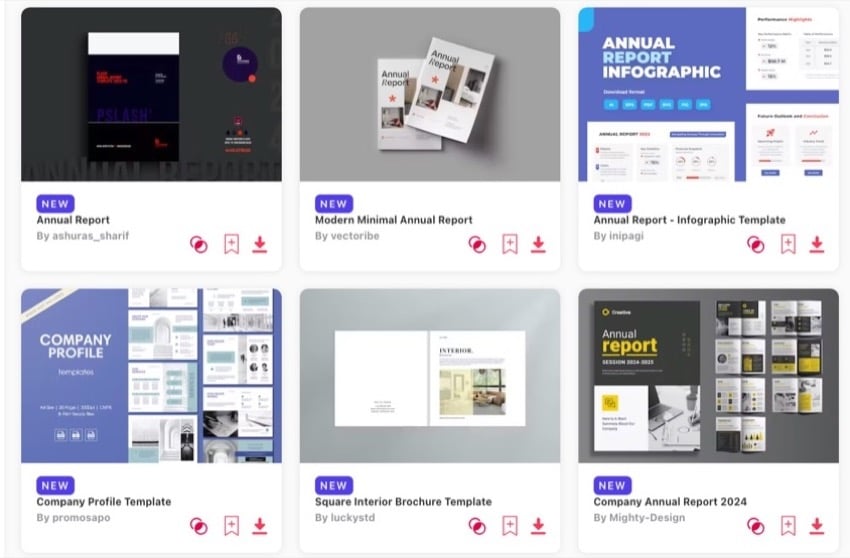
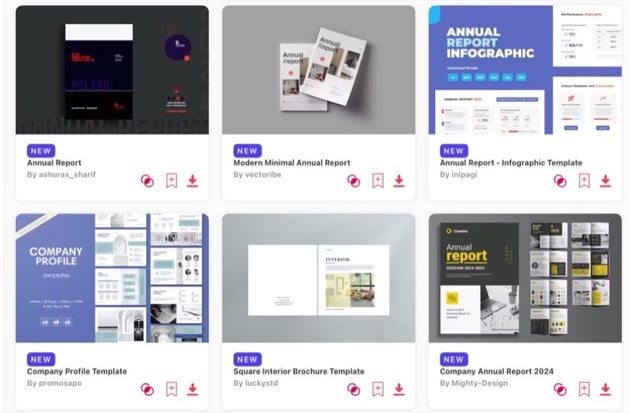

This is an especially great deal if you'd like to try out more than one annual report template. Download two, three, four, and try them all out without worrying about the price tag.
Want to try out a different font in your design? That's included too. When you've got unlimited downloads, there's no need to worry about the price tag. You've got a whole library of professional assets at your fingertips to help you get your projects done quickly.
AI Search in Envato Elements
Envato Elements introduces an AI-assisted search feature that streamlines finding human-made creative assets.
This advanced tool helps you quickly find a variety of high-quality, industry-standard assets across Envato Elements, catering specifically to your project needs.
Best Premium Annual Report Samples
Here's a sample of some of the beautifully designed annual report template designs over on Envato Elements. Consider downloading them today. They're all included.
1. Annual Report Template
2. Loda Annual Report

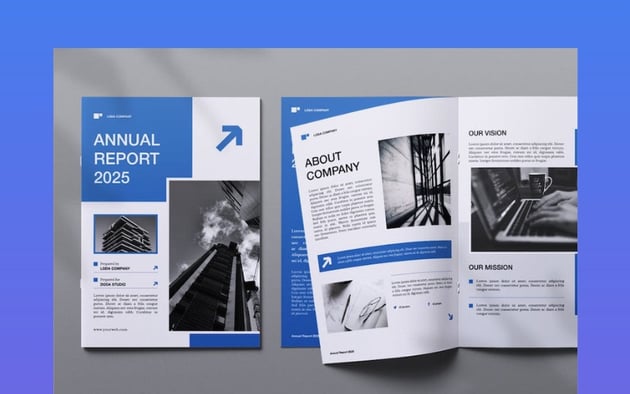
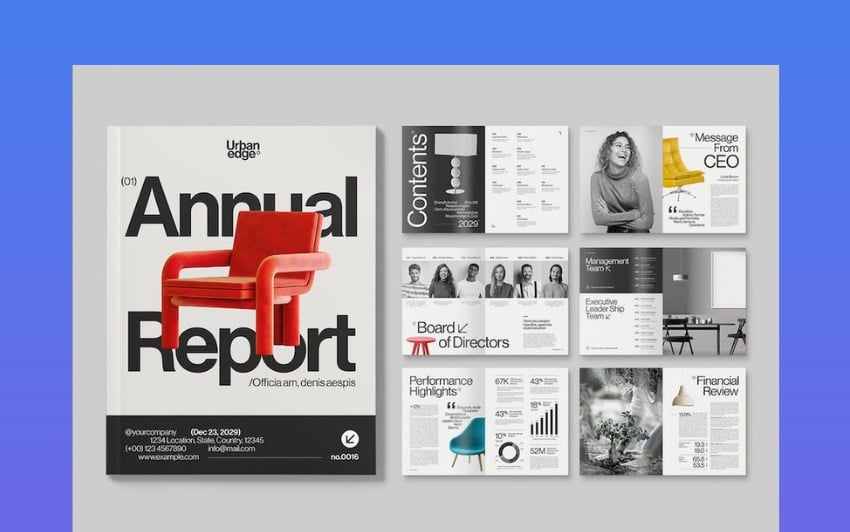
This Annual Report Template is a sleek, professionally designed InDesign template. It's perfect for proposal designs or project work. This sixteen-page template is:
- easily customizable, with editable text, fonts, images, and colors
- supports both A4 and US Letter sizes
- CMYK print-ready
- includes free fonts and master pages
3. Sleek Annual Report Design Template

This design has such sleek, stylish layouts, both on the inside and on the outside cover. Easily add your own imagery. Customize the colors and tweak the layouts until you've got the perfect design for your project.
Why Not Begin Your Annual Report Cover Design Today?
There's no better time than right now to get started on your annual report design. Whether you're looking to dig in and create a design from scratch or you'd like to try working with a template—there are plenty of resources out there to help you get the job done.
Remember, if you'd benefit from a library of professional assets, consider giving Envato Elements a look. There's everything from annual report design templates to fonts, audio, and even templates for your WordPress website. Best part is: it's all included with unlimited downloads.
Good luck with your annual report design project!
Editor's Note: This tutorial has been reviewed and revised for relevancy and accuracy by Daniel Strongin.
 By
By



