


Are you looking for a better note taking tools? Note-taking is something that everyone has to do.
Here are the best note-taking apps for 2024 to make it easy.


You might have many meetings at work. Or maybe you love talking about the details of Harry Potter. Either way, most people sometimes need to take notes.
While there’s a lot to be said for the good old-fashioned pen and paper method, it comes with several downsides. Paper notes are hard to search, fragile, and have no backup. Digital note-taking apps help solve these problems. They make it faster and simpler to take notes. Plus, you can use different formats.
Looking for ways to save time and increase your productivity? Check out Envato Elements creative assets library.
Let’s look at some of the best note taking apps available in 2024.
What Makes a Great Note Taking App?
It’s hard to make a truly bad note taking app. As long as it’s like a digital blank sheet of paper, then it’s going to work in somewhere north of 90% of cases. Note taking is an inherently simple thing.
While the bar for okay is set very low, the bar for a great note taking app is much higher. A digital blank sheet of paper isn’t enough!
Here are some of the features that I looked for when considering which apps to include on this list:
1. Great Note Taking Apps Offer Collaboration Features


Collaboration is key with note taking apps. A top-tier note-taking app should allow users to share their notes, collaborate in real-time, and leave comments or feedback.
This is especially important for teams working on projects, students collaborating on group assignments, or even friends planning a trip. The ability to collaborate within the app enhances makes it more versatile.
2. Great Note Taking Software Syncs Easily
The app also needed to sync quickly and easily between the different platforms it was on. How it synced was less important than the fact it does.
Some note taking apps, like Evernote, use their own sync platform. Others use an OS specific platform like iCloud or a third party platform like Dropbox. This also backs it up so if you lose your phone or laptop, you don’t lose your notes.
3. Great Note Taking Apps Are Searchable and Sortable


A best note app also needs to be searchable, sortable, and taggable. Going digital instead of using paper means it's easier to find your notes. You don't have to search through messy notebooks or lots of loose papers.
If you can’t easily find a note you wrote two years ago based off a single weird keyword, the app has no place on this list.
4. Great Note Taking Software Has a Good Business Model
While this one is more controversial, to me a best note taking app also had to have a reasonable business model. Note taking is a lifelong process. You don’t want to spend three years using one app only to have to change to another because it’s going out of business.
There are some interesting indie note taking apps. But they aren’t on this list of the best note taking apps. That's mainly because if something happens to their solo developer (or they just get bored) then you don’t have a working note app any more. Note-taking apps needed support from big companies to keep running. It didn't matter if they made money. They had to seem successful to be popular.
5. Great Note Taking Apps Are User-Friendly
Finally, the best note taking apps had to look and feel good. Or at least, look and feel like someone would want to use them. A confusing or overly complicated interface was a surefire way to get excluded from the list.
The best note taking software should look good enough to not offend you but then fade into the background.
Now that we've examined what makes a great note taking app, let's start by looking at two of the most popular apps.
6. Great Note Taking Apps Have Robust Security Measures
Security is paramount in note taking software, especially when it comes to personal or sensitive information. A great note-taking app should prioritize user data protection. This includes features like end-to-end encryption, password protection, and two-factor authentication.
Users should feel confident that their notes, whether they contain personal reflections or important business information, are safe from unauthorized access.
The Big Two
There are two huge names in the note taking space. Before even looking at any other note taking saftware, we should talk about Evernote and OneNote.
If you’re just looking for a general note taking app, you’re probably going to want to use one of them.
1. Evernote


Evernote is the original digital note taking app. This app started a year after the iPhone. It was the first to use the idea that everyone carries a smartphone everywhere.
Evernote’s biggest advantage is how mature a product it is. Evernote has been around for over ten years. It has so many features that it's simpler to say what it doesn't have. For example, it doesn't support markdown.
Like most of the notes apps on this list, Evernote can handle multiple formats:
- .text
- photos
- PDFs
- other documents
- scans of handwritten notes
- audio clips
- videos
They can all be thrown into your Evernote notebooks. A browser plugin called the Web Clipper can also send anything you find while you’re on the web (including full pages) to a note.
If you’re subscribed to the Personal ($14.99/month) or Professional ($17.99/month) plan, you can even search text inside images and documents.
The biggest issue with Evernote (aside from the lack of markdown support) is that the free plan is quite limited. However, it is a great OneNote alternative You aren’t able to save notes to mobile devices offline, sync to more than two devices, or upload more than 60MB a month. If you’re a heavy note taker (and you use more than just plain text) you’re likely to find one or other of these limits an issue.
Evernote’s at its best when it’s handling notes in all different formats. The optical character recognition in images works great.
2. OneNote


It's one of the best note apps approach to notes is a little different than Evernote’s. Rather than simple documents, you start with a blank canvas. You can click and write anywhere making it super easy to do:
- unstructured note taking
- mind maps
- other things that are easy with paper but normally hard on digital devices
The other killer feature of this note taking tool is AudioSync. It's perfect for students and people who take a lot of meetings. The basics of it are that if you use OneNote to record audio, any notes you type will be synced to that place on the track. This means you get the best of both an audio recording and written notes.
The free plan on OneNote is a bit more generous than Evernote’s. You can sync to as many devices as you want, store your mobile notes offline, and upload as much as you want every month. From $9.99/month you can sign up for Microsoft Office 365 which, as well as bringing a few extra features to OneNote, also gets you the entire Office suite.
If you’re looking for a great note taking app, OneNote is the note taking app I’d recommend. Instead of looking for alternatives to OneNote try it out first. It does the basics right, the free plan is great, and it’s available on every platform you’d want to use.
The Contenders
So, you’ve considered Evernote and OneNote and decided that they don’t quite fit the bill for you.
Let’s look at some of the other great alternatives to OneNote. These are the best note apps to Evernote and OneNote alternatives:
3. Bear Notes
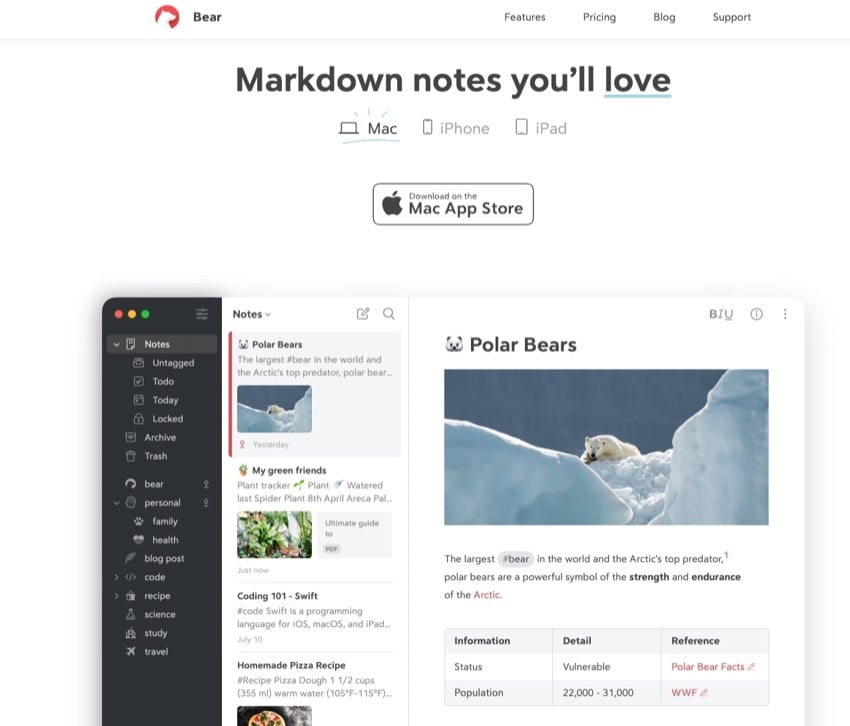
Bear is the hottest notes app on the scene. A recent entry in the category, it’s quickly won fans.
Alternatives to OneNote like this one are built around a simple, beautiful markdown editor. You can add to-dos, tag and link notes, add inline images, and much more. It’s more geared towards written notes than some of the other apps, but if those are your jam, Bear is pretty perfect.
The basic note taking tool is free but if you want pretty important features like syncing across devices, you’ll need to sign up for a $2.99/month subscription.
4. Simplenote


Simplenote is a pretty barebones app for taking written notes. You can’t even add images! Simplenote doesn't have many features. But that's what makes it special. You won't get distracted by colors, text styles, or other extras.
If you need a replacement for your phone’s built-in app and want something that works everywhere, it might be the one for you.
5. Google Keep


Google Keep’s tagline is a pretty good summary of what it does:
“Save your thoughts, wherever you are.”
This note taking app is designed more for quick thoughts and reminders than a full summary of an important meeting. It’s built around short notes, lists, and photos. To some degree, this could be the Google equivalent of OneNote.
It’s totally free and has great search. While it might not make a great primary note taking app, it’s perfect for capturing ideas quickly as you go about your day.
6. Apple Notes


The biggest advantage of Apple Notes is, if you've got an iOS device or Mac, it’s just there. Since it’s an Apple app, it’s deeply integrated with their ecosystem. It syncs using iCloud and plays nice with Siri.
It’s the best note taking software and you don’t have to jump through any hoops to use it. If you want the simplest note taking experience on your Apple devices, it’s the way to go.
7. Ulysses


Ulysses isn’t a traditional note taking app, but it’s the one I use.
The advantage of using Ulysses as a note taking app is that it’s great for turning notes into articles, term papers, essays, or project proposals. I do all my writing in Ulysses (I’m writing this article in it now), so I like to have my notes there and available.
There’s no free plan with Ulysses. It costs $5.99 a month. If you’re a writer, it’s well worth checking out.
8. Quip


Quip is another great alternative to OneNote as some great built in note taking features.
While you can use Quip on your own, it’s not really designed for solo users. Instead, team plans start from $10/month for every user. This gets you all Quip’s document editing, team chat, and other features, as well as the note taking.
What’s great about Quip is that your team can collaborate on notes. Rather than each person coming away from a meeting with a different set of notes as to what was said, everyone can contribute to one master set.
If you’re looking for an app for your team that lets them take great notes, but also do much more, Quip is probably the app for you.
9. Notion


At first glance, Notion is a note-taking app. But when you dig deeper, you’ll discover how powerful it truly is. For starters, it touts itself as a collaborative workspace where you can manage every aspect of your life, team or business.
Notion goes beyond simple notes. It allows you to organize your information in whatever way best suits you.
For example, you can create a database to store links to interesting articles you want to read. But you can then filter that database based on a number of different criteria. You can set it up to only show articles from a specific website or only articles that were stored in the last seven days.
On top of that, you can display that information as a list, a table, a kanban board or even a gallery. You can add text, attach files from external sources, and embed audio and video content. You can even embed wireframes or projects from Invision.
The only problem with Notion is that it can be confusing. It's like a blank page, and you decide how to use it. However, Notion has many templates. You can use them to help start and organize your thoughts.
Notion offers a free plan for personal use and paid plans start at $10/mo.
10. Obsidian


Obsidian touts itself as your second brain. It’s an open source application that stores your files locally. Obsidian uses markdown so it’s easy to format your text. Where Obsidian shines is the ability to create linked notes.
The main premise behind Obsidian is that our brains tend to jump from one thought to the next. Your note-taking app should be able to do the same. And Obsidian does this well.
Obsidian has a free plan for personal use and paid plans start at $50/year.
11. Typora


Typora is another markdown editor and markdown reader. It features a minimalistic interface that allows you to quickly and easily capture your thoughts, ideas, and other notes.
Thanks to the power of markdown, you can add:
- images
- links
- text
- headings
- lists
- diagrams
- and other types of content
You can manage your files using both file tree panel and file list side panel. On top of that, you can sync your notes with Dropbox or iCloud. Typora has a cool feature. It shows an outline of your document. You can quickly go to any section just by clicking on it.
It offers a 14-day free trial. After that, you can buy it for a one-time payment of $14.99.
12. Joplin
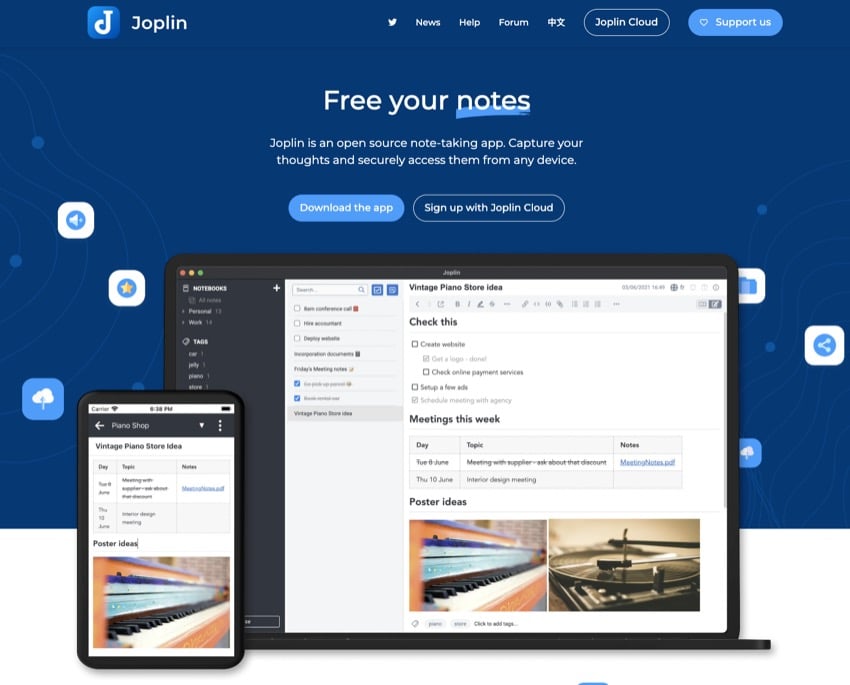


Joplin is a free and open-source note-taking app that offers a comprehensive feature set. It is available for download on all major platforms, including Windows, macOS, Linux, Android, and iOS. Joplin allows you to create digital notebooks and format text in various ways. It also offers a web clipper and strong security features.
However, some desirable features such as collaboration and syncing come at a cost. Joplin Cloud is a paid service that enables note syncing and sharing, customer support, and access to the app through a web-based interface. The Basic plan costs $1.99 per month and they have a 14-day free trial period.
13. Zoho Notebook
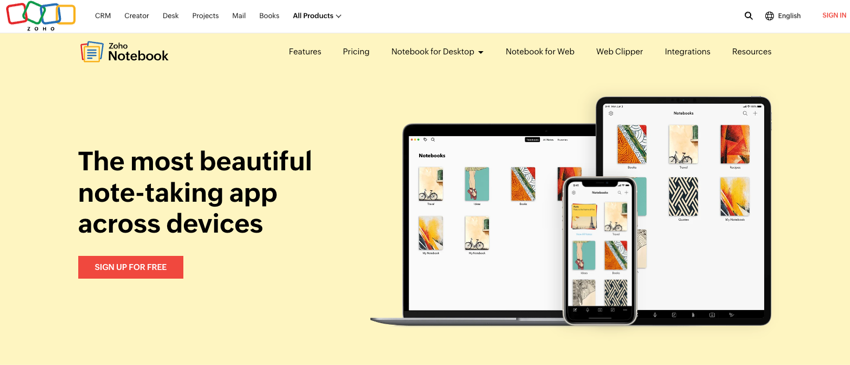
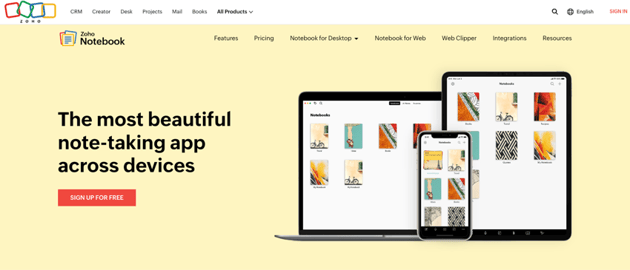
Zoho Notebook allows you to organize your notes using cards, record voice notes, and use customizable templates. It also offers secure end-to-end encryption to keep your notes safe.
Zoho Notebook offers a free version called Notebook Essential. If you want to access more advanced features, you can upgrade to Notebook Pro for $19.99 per year. There is no free trial available for Zoho Notebook.
14. Milanote



Milanote is a note-taking app that allows you to organize your ideas and thoughts in one place. It offers a variety of features, including the ability to create digital notebooks, format text, and use customizable templates. Milanote also offers a web clipper, which allows you to save content from the web directly into your notes.
In terms of pricing, Milanote offers a free version with no time limit that allows you to add up to 100 notes, images, or links. If you need more storage, you can upgrade to the Professional plan $12.50 per month.
15. InkDrop
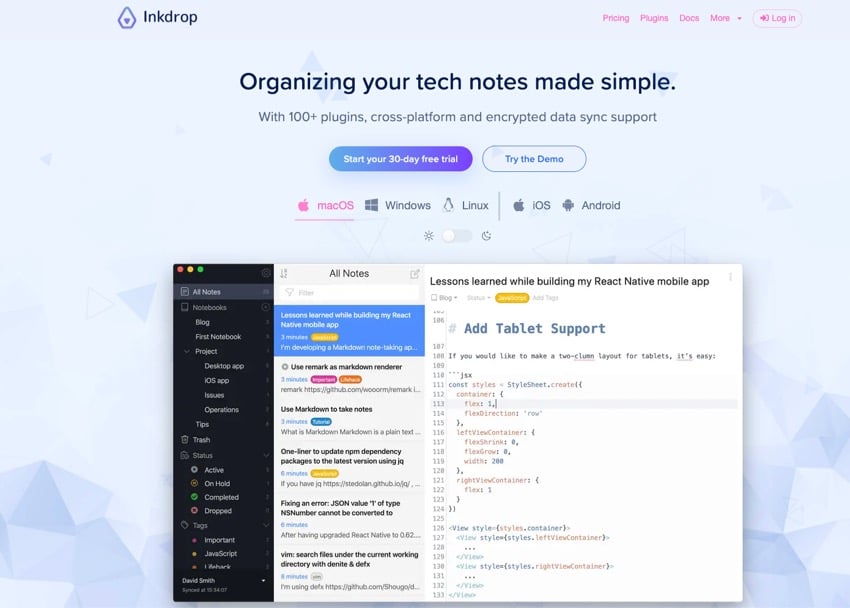
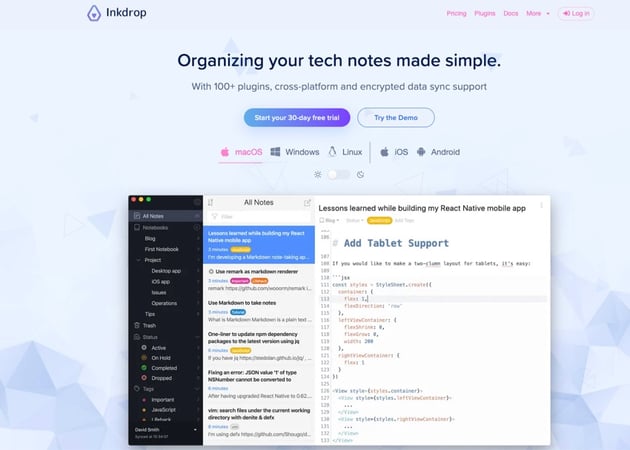
Inkdrop is a note-taking app with a robust Markdown editor that is designed to improve your workflow. It comes with over 100 plugins, cross-platform support, and encrypted data sync. The app has a versatile Markdown editor with features such as code highlighting, multi-cursors, line numbers, and more.
The user interface is intuitive and clean, with a "Distraction-free mode" to help you focus on your work. You can organize your notes flexibly using nestable notebooks, pin-to-top, tags, and workspace view.
16. Standard Notes
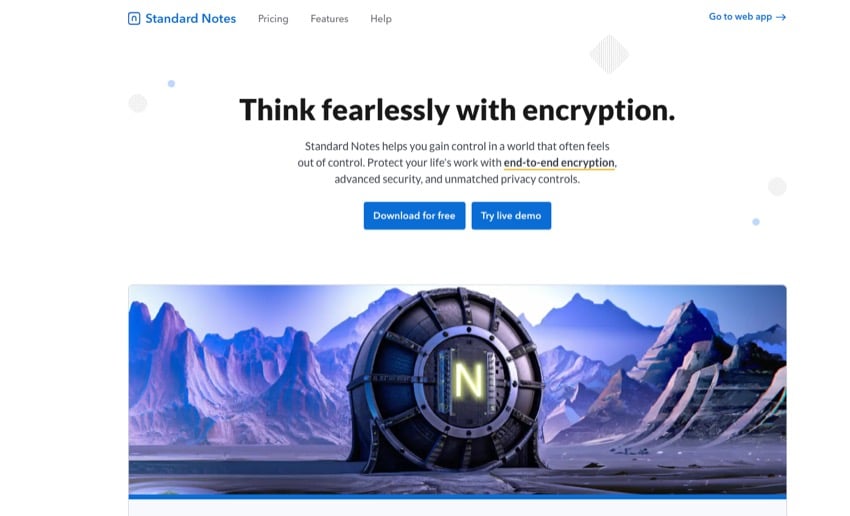
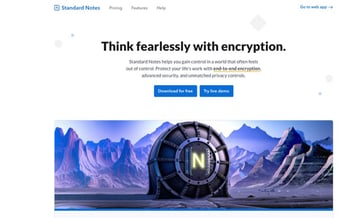
Standard Notes allows you to create digital notebooks and format text in various ways. One of the most important features of Standard Notes is its end-to-end encryption, which ensures that your notes are always secure. The app also offers a variety of note types, including simple text, rich text, spreadsheets, tasks & todos, and markdown.
Each note type provides a distinct, purpose-built, and seamless editing experience. Standard Notes offers a free version called Standard Essential. If you want to access more advanced features, you can upgrade to the Productivity plan for $90 per year or the Professional plan for $120 per year.
Top Creative Design Templates (With Unlimited Use)
Complement the best note-taking apps with unlimited graphics. Envato Elements is the best place to find creative design templates.
For a single monthly fee, you get unlimited downloads of all kinds of creative assets. This includes simple PowerPoint themes, photos, fonts, and other resources for your next project.
Simply put, Envato Elements templates help you make professional-looking documents and designs.


Templates from Envato Elements have features such as:
- polished and professional design that stands out
- rich image placeholders to show off photos and videos
- plenty of customization options to make every template your own
- content and structure ideas baked into the template itself
The Best Note Taking App Is the One That's Right for You
As you’ve probably realized by now, Evernote and OneNote have done a really good job of cornering a lot of the note taking market.
There are great alternative apps out there, but they tend to target niche features rather than do everything like the big two.
- Bear or Apple Notes are fantastic, but they’re limited to iOS and macOS.
- Simplenote and Google Keep (a Google equivalent of OneNote) have some really interesting ideas, but it’s hard to use them as your only note taking app.
- Ulysses is great for writers and Quip is good for teams. But they might be too expensive for others.
As always, the best note taking software is the one that aligns best to your needs. For me, it’s Ulysses. For most people though, it’s probably Evernote or OneNote.
Learn More About Productivity
If you're interested in increasing your productivity, here are some valuable resources to explore:

 How to Start Every Day With a Productive Mindset

 4 Important Personal Habits for a More Productive Life


 18 Best Time Tracking Software Apps to Boost Your Productivity


 How to Stay Focused Working From Home & Be Productive

Editorial Note: This article was originally published in December of 2017. It's been comprehensively updated by Brenda Barron to make it accurate and up to date.
 By
By


