

Connecting with potential clients is important. What do you do when you need to design a business card in a hurry?
Try using a premium business card mockup to save time and money.


You never know where you might meet your next client or business partner. That's why it's crucial for you to have your business card ready.
Do you use a tool you already know, like Adobe Photoshop to build yours?
You could do that. Or you could use one of the many business card mockup PSD templates to make your business card mockup template rapidly. Don't waste time looking for a business card mockup online. Start with one of the best business card PSD templates, and you're on your way.
This article covers the best business card mockup PSD files to help you impress your potential clients. We'll cover premium business card mockup templates from Envato Elements.
We'll cover business card mockup templates from Placeit. And as a bonus, we'll share business card mockups for free download for those on a tight budget.
5 Best Business Card Mockup Templates for 2024 (Envato Elements)
Don't think that you've got to hire a graphic designer to build a business card. Using a business card mockup online means that you'll have everything already drawn for you. All you've got to do is download a template and drop in your specifics.
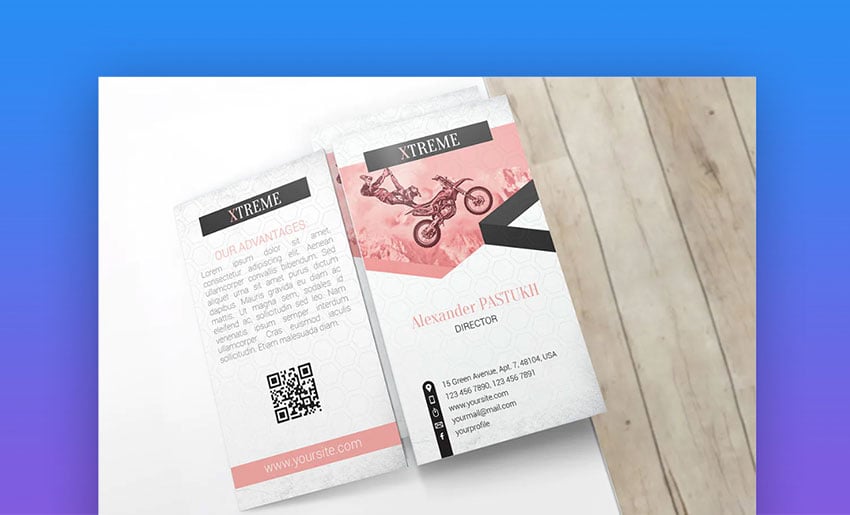
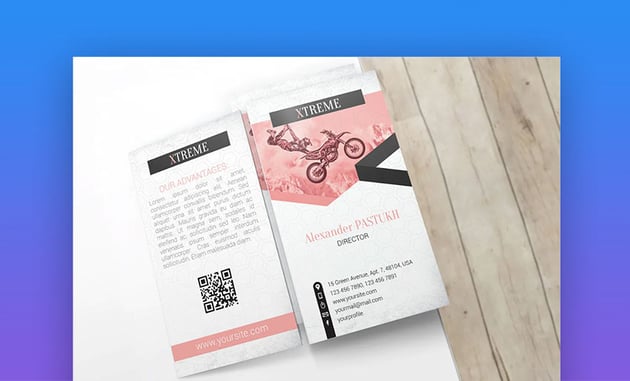
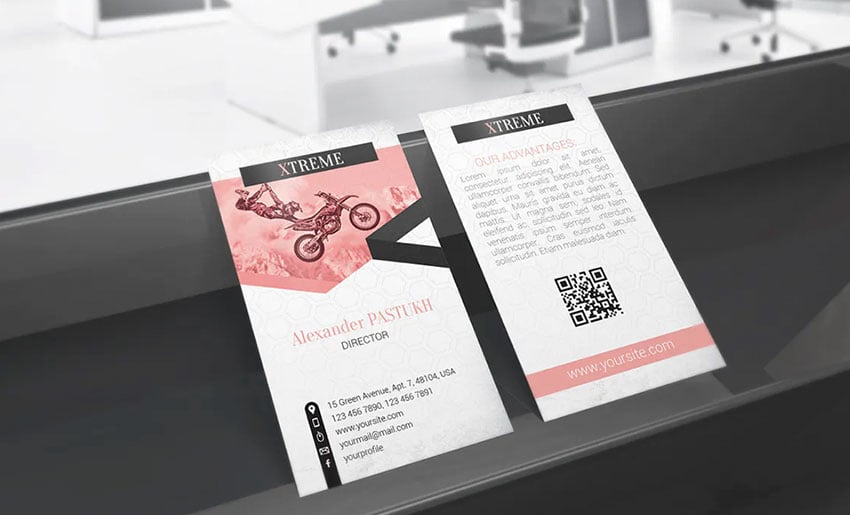
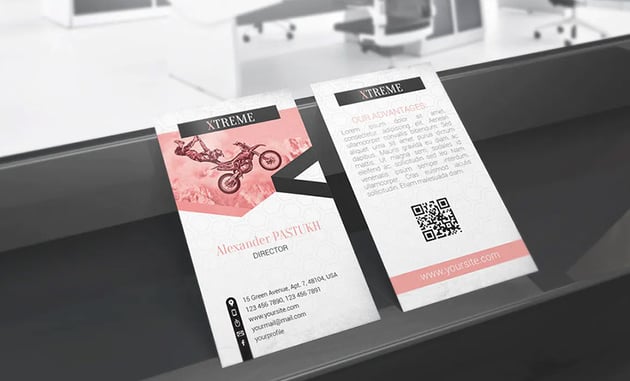
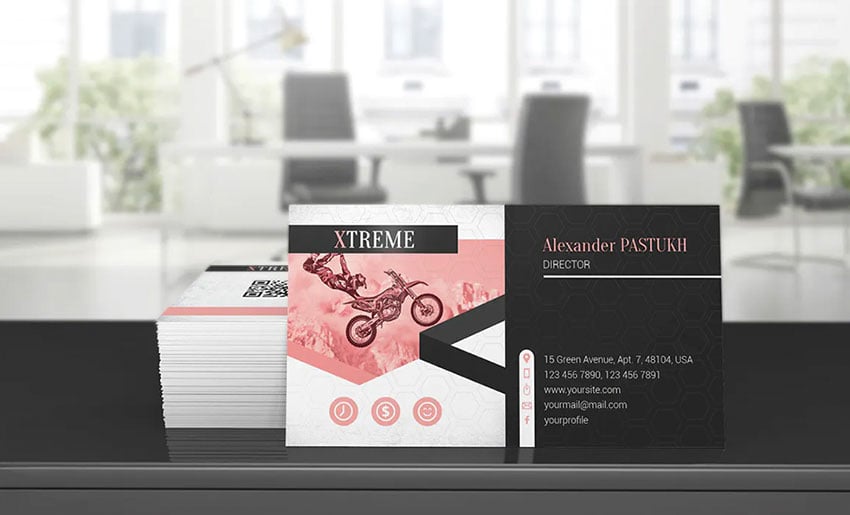
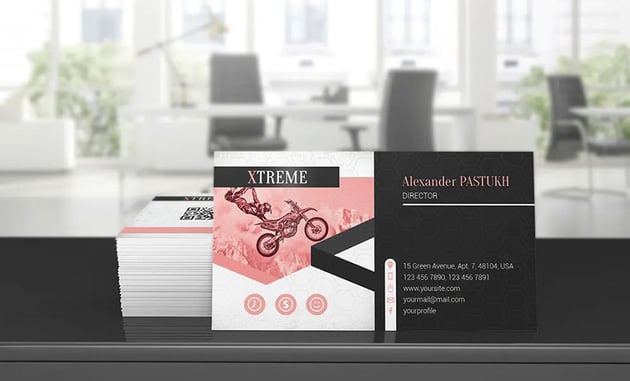

This is one stunning-looking business card mockup from Envato Elements. This glossy business card mockup design includes front and back views. Photoshop’s robust editing tools give you complete control over the customization process.


This classic business card template PSD mockup is one of the best available. The 5 different styles give you options to work with. Each PSD file is fully layered for easy edits in Adobe Photoshop. Download it from Envato Elements.


Smart objects make this business card template the perfect choice for many applications. Entrepreneurs, designers, or creatives can build a business card that fits their brand. Check out the tutorial to help you with it.
4. 5 Business Card Mockups


This business card mockup template has plenty of room to feature one of your photos. The download comes with a fully editable Photoshop file. The size of the card is 3500(w) × 2300(h) px. The changeable background makes it easy to reuse without it looking repetitive.
5. Business Card Template Mockup


This premium business card template is pretty well-balanced. The business card mockup template is customizable and editable. The high resolution looks great when printed. Regardless of what industry you're in, this template shines.
The Best PSD Business Card Mockup Templates from Envato Elements
There are thousands of the best business card mockup PSD files in Envato Elements.


Best Free Business Card Mockup PSD Downloads From Around the Web
- Every month, Envato Elements offers 12 hand-selected files, fonts, presentations, videos, and more. Create a free account to download this month's free premium files now.


Sometimes you're working with a budget of zero. In those cases, you can use the business card mockup free PSD templates below. They're waiting for your contact details at no cost.
1. Foil Business Card Mockup Free Download


The best thing about this business card mockups free download is that it includes a foil effect to enhance the look of your card. Not all templates include this type of effect. Get this business card mockup free PSD file.
2. Vivid Business Card Mockup Free PSD
If you don't like to go unnoticed, this card template is perfect for you. Give your design a vibrant and intense look by using black and yellow. These two contrasting colors are hard to miss. This business card mockup is free to download with PSD files.
3. Urban Business Card Mockup PSD Free
Have you used holographic gradients on a business card? This is your time to experiment with them and never go out of style. Get this business card PSD template mockup for free today!
4. Business Card With Box - 2 Free PSD Mockups


Show your business cards in a carrying case with this business card mockup PSD free download. The graphics are 4000x3200 high-resolution and come print-ready. The business card mockups free download is layered for smooth edits.
5. Free Card Mockup
Included are five designs in this business card mockup free download pack. Each card is sized at 90 x 50mm. Details on customization are included in a tutorial video on the download page.
6. Slim Free Card Mockup
The normal dimensions for business cards are 3.5" x 2.0" (8.9 x 5.1cm). But have you tried to go out of the norm and use a new size? This template includes a slim card that'll attract everyone’s attention. Get this business card mockup free download.
7. Free Business Card Mockup PSD
This mockup business card features a simple stack on a wooden background. All that's needed is the introduction of your content. You can manipulate the single business card mockup free download in just a few clicks in Photoshop.
8. Isometric Free Business Card Mockup PSD


The sizing of this card is 3.3 x 2.1 inches. This free card mockup gives you a life-size view. The stacks and background are all layered, letting you customize each element without impacting the whole. The card uses 300dpi resolution.
9. Advanced Branding Stationery - Business Mockup Free
This free Photoshop business card template mockup features a simple design. It's useful if you've got matching letterhead and cards. Multiple angled views are included with this business mockup free pack.
10. Hand Holding Business Card Mockup PSD
A mockup business card like this one visualizes how your cards would look in someone's hand. This is overlaid on flat color backgrounds for contrast. Smart layers are built in.
11. Designer Business Card Mockup Free Download
This business card mockup free PSD places your cards on a desktop. It also features a keyboard and a coffee mug. Stacks can be used to view either side of the card itself.
12. Embossed Business Card Mockup Free Download
You can use embossed business cards if you want to create a more creative business card. This mockup business card highlights an embossed design held in someone's hand.
13. Business Card on Linen Mockup


Add a touch of elegance and minimalism to your business card. Download this business card mockup with a free download and start dropping your information. This file is very easy to edit and fully customizable.
14. Fancy Business Card Mockup Online
This glossy business card mockup is very clean and elegant and can be used for a modern brand. The file includes fully editable elements and smart objects to get the job done faster. Get this business card mockup with a free download and PSD files.
15. Tiled Perspective Business Card Mockup Free Online
A tiled perspective essentially shows endless rows of your design. Smart objects in this business card mockup template are offered in two views, for a wide or close-in angle. The final product renders out at high pixel resolution for perfect printing. It's a great business card mockup free online!
16. Flowers Business Card Mockup Free Online


Looking for a cool business card mockup free online? Download this glossy business card mockup, it’s a PSD template mockup with free files available for you to work with. The lilac color creates a nice contrast with the green of the card. We’re sure that more than one will love your mockup.
How To Make a Business Card
For this tutorial, we'll be using the premium template, Business Card Template.


1. Add In Your Contact Info
The first step in creating your business card is to add in your contact information and company text. The business card mockup template has text placeholders for contact and company information.
Double-click the placeholder text and paste in your contact info.


2. Replace the Company Logo
The template has a placeholder company logo on the back of the card. First, click on the placeholder logo and hit backspace on your keyboard. This deletes the placeholder logo.
To add in your own logo, drag and drop your PNG logo file onto the PSD file. From there, resize and move the logo.


3. Change the Fonts
For our business card, we'll want to have two different fonts. We'll have our job description on the front of the card be in a different font. To change the font, double-click the text.
Highlight all of the text and then go to the Font menu on the top left menu bar. From there, we'll choose a different font.
4. Change the Background Color
We'll now adjust the color of the background to fit more with our brand identity. First, double-click the background layer in the layer menu on Photoshop's bottom right side. A pop-up menu now appears. Choose the Color Overlay option.
Next, click the color box. The Color Picker pop-up menu appears where you can choose the color you want to overlay the background with. When you've selected a color you want, click Okay.
You can adjust the opacity of this color by moving the opacity slider.


5. Adjust the Design Elements
In our business card, there are line-shaped objects. We want to adjust these to fine-tune the design.


Let's look at five tips that you should consider when working on your business card.
5 Tips to Consider When Working With a Business Card Mockup
Mockups are a great way to show your design to your team or get an idea of how it'll look before printing. In this section, we'll share a few tips and tricks to add to your designs.
Follow these tips and elevate your business card front and back mockup:
1. Have a Clean Background
When working with a business card front and back mockup, always consider using a clean background. This helps your design stand out.
2. Add Elements to Your Background
Feeling like experimenting with your business card front and back mockup? Try adding elements to the background that match your brand's aesthetic and personality.
All our business card mockups include dozens of background elements. These elements will make you fall in love with your mockup. Explore a wide variety of backgrounds, from product photos, decorative spaces, and elegant shapes.


3. Useful Information
If you're working with a business card front and back mockup, don't forget to add your company information. This will be important to visualize before printing your card.
It's normal to have questions about what information to include in your design, but don't worry. Here's a list of things to add:
- logo or wordmark.
- your name.
- job title.
- contact information (phone number, email, and address).
- social media.


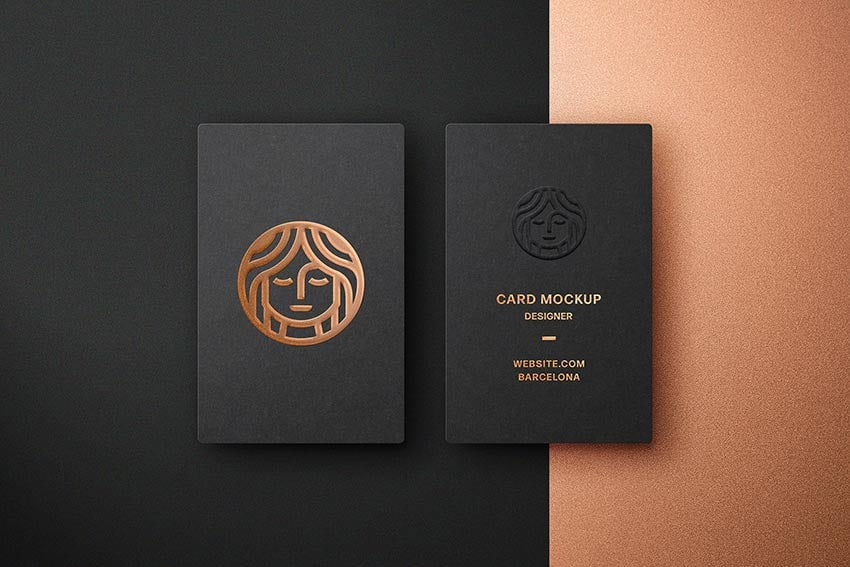
4. Showcase Your Finishes
If you add design finishes, remember to add them to your business card front and back mockup. This way, the printer will have a clear idea of what you're looking for.
Here are some of the most popular printing finishes that you can add to your business cards:
- matte and glossy finish.
- foil embossing.
- hot stamping.


5. Fonts That Stand Out
Don't be afraid to go out of the norm with your fonts. These give personality to your design. Follow these points to learn how to use fonts:
- Choose up to three fonts. Start with a bold and extroverted font, and then choose two more simple fonts to create balance.
- Understand the context where you'll be using your fonts. Do you need them for a professional design or for a fun project? Keeping this in mind helps you pick the correct typefaces.
- Set up a hierarchy. Your design project should have a specific typeface. The typefaces should be specific for the heading, subheading, and body text. Establishing a hierarchy helps the reader understand your information better.
5 Cool Design Trends For Your Business Card Front and Back Mockup
Do you want to elevate the design of your business card mockup? Then you've come to the right place.
This section shares the latest design trends to improve your designs:
1. Experiment With Gradients
Things can get tricky when deciding which colors to add to your business card front and back mockup. If you're having trouble deciding on a color palette, try gradients.
Gradients can help you because they're so versatile. You can mix as many colors as you want and end up with a gradient that looks fun and pretty.


Learn how to create unique gradients on Photoshop:


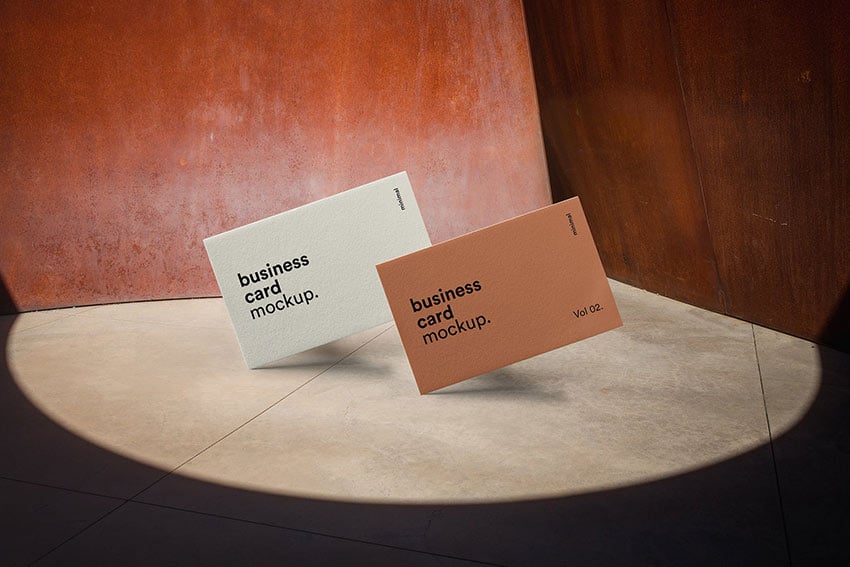
2. Try Earth Tones
Do you want to give a warm feeling to your business card mockup template? Try earth tones, which bring a cozy vibe to any type of design. Inspired by nature, warm and earthy tones soothe the eye and remind people of being outdoors.
Some earthy colors are:
- brown
- terracotta
- green
- gray
Try any of our business card mockups and improve your designs.


3. Add Marble Texture
Marble textures have been trending for quite some time for business card PSD template mockups.
Marble backgrounds can give elegance to your design due to their smooth shapes. Go ahead and try a marble texture. You won't regret it.


Read this article to find more trendy textures for your designs:


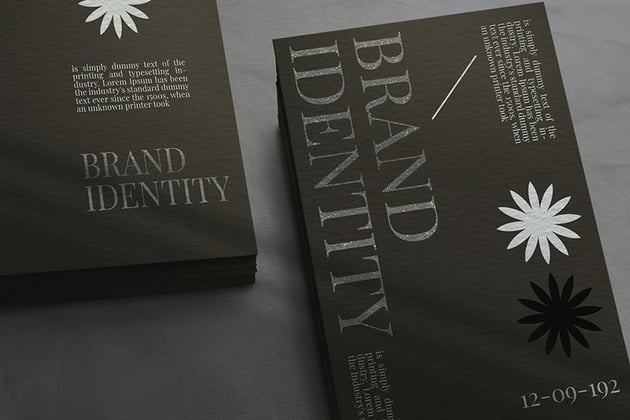
4. Black and White Palette
Using these two colors is a no-brainer. You can never go wrong with black and white combinations. A simple black and white color scheme adds a touch of class and modernity to your business cards. Try this front and back business card mockup to elevate your business card game.


5. Very Peri Color
This is the latest color trend everyone's talking about (at least this year). Every December, Pantone chooses the Color of the Year. This sets future trends around this color.
This year's color is Viva Magenta, an original shade of magenta created by Pantone. Don't be left behind and try this new color on our business card front and back mockups.


Learn more about Pantone colors here:


More Amazing PSD Business Card Front and Back Mockups and Templates for Your Business
Do you need more business card front and back mockups or templates? You can find tons of designs through our Envato Elements libraries.
Just in case you need more options, check some of our favorite designs featured in these articles:

 16+ Best PSD Business Card Mockup Templates (Free + Premium for 2023)


 20 Free Unique Business Card Designs (Top Templates to Download 2022)

 25 Best Personal Business Cards Designed for Better Networking in 2022

 20+ Double-Sided, Vertical Business Card Templates for 2024

5 Amazing Benefits of Using Business Card Mockup Templates With Pro Designs (In 2024)
Still wondering if a business card front and back mockup template is the right fit for your project? Here are five reasons why you should use mockup templates for your 2024 design projects:
- Move to the next level. Improve your design game with our top-notch templates. With Envato Elements, you'll always have top-notch resources for you to work with.
- Save time. Designing something from scratch can be time-consuming. When you start with a business card front and back mockup template, the design is already done, you just have to drop your information, and that's it!
- Customize everything. The best thing about our templates is that you can customize almost all objects. Go ahead, add your brand identity and make that design your own.
- Unlimited options. That's right, you can download a file as many times as you want. Plus, our template libraries have millions of creative assets for you to choose from. You'll never get bored with our resources.
- Watch your budget. Save money by subscribing to Envato Elements. Creating unique daily designs for your brand can be expensive and time-consuming. Reduce your costs with our low-cost Envato Elements. Whether you're a five-member company or a big agency, offer great value.
Benefits of Envato Elements (The Power of Unlimited Use)


Envato Elements gives you access to libraries full of quality assets that'll help elevate your projects. Here's a list of what you can find when subscribing:
- business card front and back mockups.
- photos
- graphic templates.
- stock video.
- presentation templates.
- WordPress designs.
- infographics.
- and more
Build a Business Card in Your Browser With Placeit
The templates outlined in this article have focused on business card mockups in PSD format, ready to use in Adobe Photoshop.
But if you don't want to work with Photoshop (PSD) templates? Thankfully, there's another option for you to create great-looking business cards, Placeit.
You start with a template, then just point and click your way to a finished business card.


Placeit is best for the businessperson who just doesn't have time to take on Photoshop. Best of all, it's still flexible because it features a number of built-in design styles.
You can choose the best color and graphics that match your personal brand with Placeit.
Common Mockups Questions Answered (FAQ)
Are you having a hard time with your business card front and back mockups? Don't worry. We'll cover the most popular questions our users have about this type of design in this section:
1. Where Can I Download Free Mockups?
Looking for the right mockup can be challenging. We've listed some free PSD business card mockups right in this article.
Rather than relying on potentially low-quality free mockups, we recommend you look at our graphic resources on Envato Elements.
We've got business card PSD templates and mockups and premium choices that'll improve your design. Find premium business card mockups here:
.jpg)
.jpg)
2. How Can I Create Mockups?
Design mockups can be a tricky thing to make from scratch. Creating mockups needs an intermediate and advanced level in design programs.
That's why many people tend to choose mockup templates. Templates are easy to work with and be fully customizable to your needs.
3. How Do You Make a Business Card Mockup Using Smart Objects in Photoshop?
Smart objects are layers that allow you to edit an object without losing its quality. These will help you when creating a business card front and back mockup from scratch on Photoshop.
This tutorial below helps you create a business card mockup with smart objects in Photoshop:


4. What Are the Dimensions of a Business Card?
If you're feeling creative, business cards can have any dimensions you want. But there's a standard size that almost everyone uses because of its functionality.
The size you want your business card to be is 3.5" x 2.0" (8.9 x 5.1cm).
5. How Can I Make a Mockup Online?
If you don't have any design programs on your computer to create a business card front and back mockup for your company, don't worry. There's always an online alternative. Websites like Placeit allow you to make quick designs. Thanks to its friendly interface, anyone can create a mockup business card.
Learn how to create a business card on Placeit here:


Learn More About Making Business Cards
There's always something new to learn. We've got many helpful tutorials to help you improve your business card designs and mockups.
Check these fantastic tutorials and get started with your business cards:

 How to Make Your Own Business Card in Photoshop Quickly With Templates
.jpg)
.jpg) How to Make Great Business Card Designs (Quick & Cheap) With Templates Online
How to Make Great Business Card Designs (Quick & Cheap) With Templates Online

Go Build a Business Card in Photoshop Today
In this round-up, you saw the best business card mockup (PSD) templates that are ready for your details.
Free Photoshop business card templates are also available for you to download if you're on a budget. These are a solid option that you can also use when you just can't afford to spend anything on the project.
Business cards still have their place in commerce. Use them to make connections and continue conversations with potential clients. You never know when you'll find your next client, just by handing out your business card.
Premium business card mockup templates like those from Elements are the best business card PSD options to design your identity in Photoshop.
Placeit is another awesome option for creating card mockups if you don't have Photoshop.
Editorial Note: This post has been updated with contributions from Lex Soto, Gonzalo Angulo and Daniel Strongin. Lex is a staff writer with Envato Tuts+. Gonzalo is a staff writer with Envato Tuts+. Daniel is a freelance instructor for Envato Tuts+.
 By
By


