


If you freelance, do you need a resume? Some experts would argue that resumes are outdated when it comes to freelancing. The argument is that your website, portfolio, and social media presence contain enough information for a client to hire you.


While it's true that it's possible to get freelance gigs without a resume, if you don't have one you may be missing out on some lucrative opportunities. Even if you don't use your freelance resume for every potential client, it's better to be prepared and have one ready for when you need it.
But how to list freelance work on resume designs takes some careful thought. Most resume formats were designed with traditional employment in mind.
It can be hard to fit a freelance career into a traditional resume structure. That's why you should check out Envato Elements, where you can find thousands of great resume and cover letter designs that offer many creative freelancer resume options for you to choose from and begin customizing.
In this article, I outline why your freelance resume is important. I'll also show you how to overcome resume obstacles that freelancers face, and how to add freelance work to resume templates. Finally, I'll share some template resources from Envato Elements that work well for designing your freelance resume quickly.
Learn more about creating a resume. Study our resume guide. If you're a freelancer let's get started!
How to Add Freelance Work on a Resume (Quickstart Video)
Are you ready to start putting freelance work on your resume right now? The video below will get started quickly:

For more information on building a freelancer resume, read the guide below.
Jump to content in this section:
Why Your Freelance Resume Is Still Important
You're doing great as a freelancer. You're getting lots of gigs and working regularly. So far, no one has asked for your resume.
That's great. Now is the perfect time to update your resume to include your freelance work—before someone asks for it.


When someone does asks for your resume, you want to have one nearly ready to go. You don't want to have to spend a few days creating your freelancer resume under time pressure. It's best to tackle this early and be prepared.
Here are some common scenarios when you might need a resume as a freelancer:
- You're applying for work with a larger client. In larger companies, freelancers (often referred to as independent consultants) are often asked to provide resumes. A large company is also more likely to use an Applicant Tracking System (ATS) to screen resumes.
- You're applying for work through an agency or a recruiter. If you're looking for work through a third party, such as an agency or a recruiter, they may ask you for a resume that they can restyle and present to their end client.
- You're returning to traditional employment. The resume is still the mainstay of looking for traditional employment. If you've been freelancing for a while and are searching for a traditional position, it can be challenging to create a resume to encompass all your experience.
- You're applying for a professional license or certificate. In some fields, you may be required to submit a resume. Even if you're not asked directly for a resume, it can serve as a reference to help you describe your experience.
- You're applying for an industry award. Sometimes an awards committee wants to see a list of your accomplishments. A resume is an easy way to summarize your accomplishments quickly.
- You're speaking at a conference or meeting. If you're asked to give a presentation, the conference meeting organizer will probably want to introduce you. A resume is one way to provide them with the information they need.
- Any other time a client requests one. Each client is different. Many will be happy with just a portfolio link. Others will insist on a resume. It would be a shame to miss out on a gig because you didn't provide the client with the information they asked for.
Use your resume to emphasize how your experience and skills meet that specific client's need. There's no such thing as a one-size-fits-all freelancer resume.
How to Customize a Resume Template as a Freelancer
Let's roll up our sleeves and learn how to put freelance work on resume templates. First, make sure you download the Colorful Resume & Cover Letter Template from Envato Elements. For this tutorial, we'll be working in Photoshop.
This resume template has a clean, simple design that includes all of the key informational areas that you’ll need.


Your Personal Information
Let's begin by plugging in your personal, basic information into the template. First and foremost, input your name in the upper left corner.
Then, decide on a job title, just underneath your name. It's up to you to decide your job title, so make sure to use a title that accurately describes the work you do. For this example resume, we’ll go with “graphic designer.”


Your Contact Information
Add your contact information to the resume, in the upper right corner. The easiest resume for freelancer use makes it straightforward to find your contact information in case they want to get in touch with you.


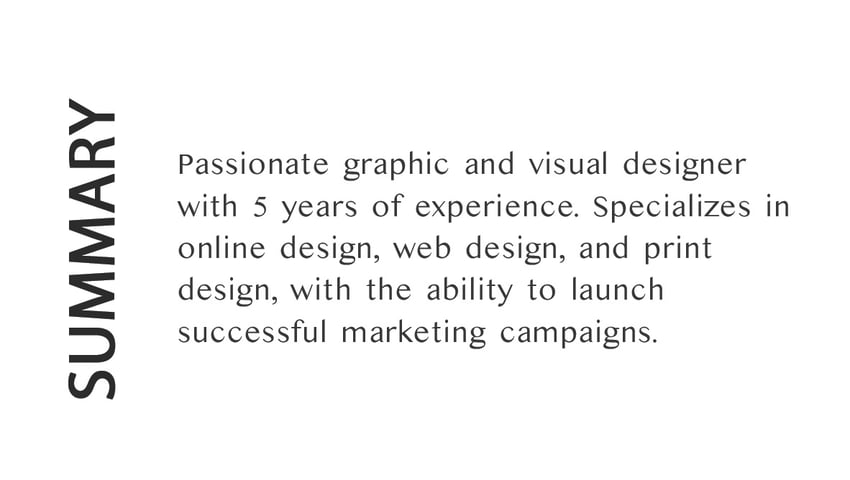
Change Objective to Summary
Next, let’s give the Objective section the new title of Summary. Then, add in a short but sweet statement highlighting your specific skills and experience. It puts your main skills front and center, which is what your potential employer is looking for.


Add Your Skills
The most useful resume for freelancer success embraces your relevant freelancer skills. Your goal is to show you’re a good fit for the job or gig, so be specific. This particular resume template has its own skills section that makes it easy for your potential employer to find.


Add in Your Education Information
The best resume for freelancer success includes a thorough overview of your education history. Let’s type those details into the Education section. Be sure to include the names of each educational institution, the years attended, degrees earned, and any distinctions.


Clients & Experience: Highlight Your Most Important Freelance Work & Clients
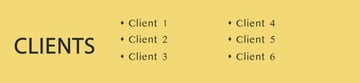
Let's look at the Client Section, which is where you list your most relevant, important clients. The word Client makes it clear you weren't an employee, but it was still a professional relationship.
When considering how to build freelancer resume information, keep in mind you don’t need to list all of your clients. Instead, try to choose the clients that are the most relevant for the position you're applying for. Also, be sure to double check your contracts first to confirm you're allowed to mention them. Some clients specify that they don’t want you announcing to the world what you do for them.
Once you’ve decided which company name to list, add those into the Client section.


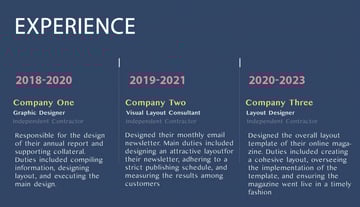
Now let's move on to the Experience section. This is where you'll show off your work experience. Including the words consultant or independent contractor can help make it clear you weren't an employee, but it was still a professional relationship.


Add in Your Interests and Activities
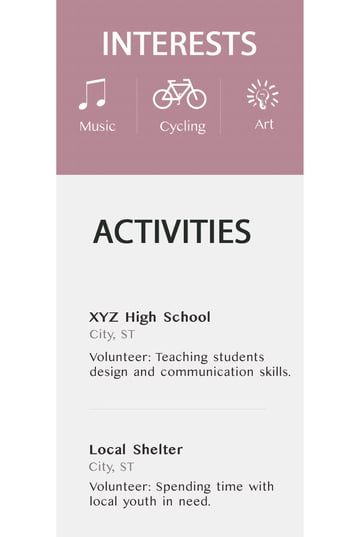
Now it's time to add in any interests and activities. While you've got more leeway with the Interests section, make sure the Activities you list are at least somewhat relevant to the position you're going for.


You can also make any additional customizations to the resume, such as to the colors. Also, many jobs don’t require or want a photo, so we’ll leave it off of this resume template.
Let's take a look at our resume results:


How to Handle Common Freelance Resume Problems
One reason freelancers don't use resumes is because it can be difficult to know how to include freelance work on a resume. Here are some common dilemmas freelancers face when creating their resumes:
- What job title do I give myself?
- Do I list a Summary statement or an Objective Statement?
- Do I list freelance clients by name as separate jobs?
- How much detail do I include about my freelance projects?
- What if there are slow periods in my freelancing career? Will these look like gaps in employment?
- Do I include a link to my website or online portfolio?
- What if I'm freelancing alongside a full-time job? Do I include both?
- Should I bother listing my Interests/Activities?
- How do I format my resume?
I'll answer each of these topics separately:
1. Job Title
As a freelancer, your clients don't provide you with a job title. It's up to you to come up with your own job title.
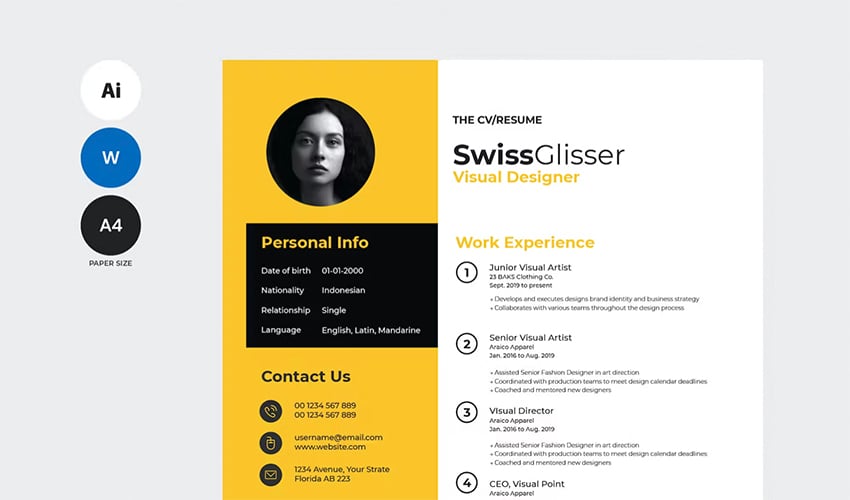
Since your freelancing business is a small business, you may be tempted to put a title on your resume that reflects that such as "owner" or even "CEO." While such a title might technically be correct, using it on your resume probably won't help you find work.
Many experts suggest using a title that describes the actual work you performed for your client. For example, the job title "Independent Graphic Designer" is more informative for a potential client or employer than the job title "Owner."
2. Do I List a Summary Statement or an Objective Statement?
A Summary Statement and an Objective Statement are two different things.
- A Summary Statement highlights your experience and strengths, which is what your employer wants to hear.
- An Objective statement can potentially cause your resume to be rejected because it focuses too much on your own personal professional wish list.
That's why we recommend omitting the Objective section. Learn more about resume objectives versus how to use summary statements in the article below:


3. Listing Freelance Clients
Should you list your clients by name? If you've had a lot of clients, do you need to list each one separately? When considering how to put freelance work on resume templates, this is a vital question.
First, consider any contract agreements you made. For example, if you're a freelance writer who does ghostwriting your contract may specify that you can't name the client. In that case, describe the work only. Consider something like this example:
- Served as a ghostwriter for a corporate blog. Provided weekly posts of between 500 and 1000 words.
If the contract allows it, list the client's name while making it clear that you weren't an employee. Adding the words "contractor" or "independent worker" after the company name should be enough.
If you've done a lot of freelancing work, you don't need to list every single client you've ever worked for. Career experts agree it's better to highlight work you did for a well-known company or brand over work you did for little-known companies.
When listing a client, make sure there's a contact at the company who can talk about the work you did for that client. Freelance clients do check references.


The best solution is to use your freelancing business name as an umbrella and list the most important client names as sub-points below. Lump lesser-known clients and occasional clients together.
Here's an example from a freelance graphic designer resume:
Graphic Designer, Anytown Consulting 2021-2023. Provided graphic design services for multiple clients including:
- Big Company No. 1 (Consultant)Designed and created newsletter design
- Big Company No. 2 (Consultant)Developed logo and business card design
- Smaller Company No. 1 (Consultant)Created banner ad and brochure
- Consulted with additional clients about marketing design needs and corporate branding
4. How Much Detail Should You Provide?
Space is at a premium on your resume. A longer resume isn't a better resume. This is true for freelancers and non-freelancers alike.
For that reason, your resume needs to be edited tightly. Limit yourself to a single sentence to describe each freelancing gig that you list. Do use keywords that emphasize your skills and experience.
5. Dealing With Slow Periods and Gaps
Freelancing is known for its ups and downs. Your work may be hectic one month and slow the next.
You may worry that the ups and downs of freelancing will look bad on your resume. If you use the name of your freelancing business as an umbrella and list your freelancing gigs beneath it, you don't need to worry that slow months look like a gap in employment.
If you do have legitimate gaps in employment, times when you were neither employed nor running a freelancing business, be honest.
For example:
- Left workforce to care for sick family member, 2020-2021
Volunteer work can also be a good way to fill a gap in employment. This is especially true if the volunteer position is related to the job you're looking for.
Whether or not you decide to list the reason for your gap on your resume, be ready to talk about it in an interview. You'll almost certainly be asked about it. If the gap is because you were looking for work, explain that.
If you're qualified and have an otherwise solid work history, an explainable gap in your work history can be overcome.
6. Sharing Online Information
You can list “freelance” on resume designs all you want, but solid online proof is a great way to back up the skills you say you have. As a freelance professional, you likely have an online portfolio or website that you want to link to on your resume. You may also want to include links to your social media accounts such as LinkedIn.


Most HR professionals agree that it's important to share your online information if it's professional and relevant to your job search. Include your links right after your contact information at the top of the resume.
7. Part-Time Freelancing
One dilemma unique to freelancers is whether they should include part-time freelance work on their resume. Here are some questions to help you decide:
- Is the part-time work relevant to the position I am applying for?
- Do I need to list the part-time work to cover an employment gap?
If you need to list the part-time freelancing to cover an employment gap, do so. Focus on anything relevant to the job you're applying for.
If the job isn't relevant to the position you're applying for and you don't need it to cover an employment gap, then leave it off your resume.
8. Should I Bother Listing My Interests/Activities?
Some freelancers wonder if they should list their interests and activities on their resume.
The short answer is yes. If there's room on your resume, feel free to include those details. But keep it short and to the point.
List items that are related to the position you're applying for (even remotely), as it allows you to show your well-rounded personality.
9. How an ATS Affects Your Freelancer Resume
Many medium to large companies use an Applicant Tracking System (ATS) to screen resumes. What this means is that your resume could be rejected before a human even sees it. These systems can even affect freelancers seeking long-term projects or returning to traditional employment.
Here are some pointers to help your resume get past the ATS:
- Submit the resume in .Doc or .TXT format.
- Focus on keywords used in the job listing.
- Use easily identifiable labels for resume sections.
- Avoid using images, tables, or symbols.
- Fix any spelling errors or typos.
Freelancers are often encouraged to submit a functional or creative resume. While those resume formats work great for resumes that'll be seen by humans, those formats may cause an ATS to reject your resume.
To learn more about how to create a resume and format it properly, review these tutorials:

 How to Make a Great Professional Resume (For Top 2020 Jobs)


 How to Use ChatGPT to Write a Resume (+Video)
.jpg)
.jpg)
Other Problems Freelancers Face
Once your resume gets through the initial screening process, you may still face some struggles.
Here are some common worries that employers have about freelancers:
- Culture Fit. Freelancers are often viewed as loners. An employer may worry that a freelancer won't take instructions well. They may wonder how you'll work with others.
- Qualifications Matching. Employers often want someone with the exact experience in their ad. As a freelancer your experience is probably broader and more varied than what the employer is looking for.
- Salary Negotiations. If you've been self-employed, salary negotiations can be tough. Employers like to base the salary they offered you on a past salary.
The best way to deal with these issues is to expect them. Be prepared when you go to the interview.
To deal with culture fit worries, explain why you believe you're a good fit for the company. Stress how your values align with theirs.
For qualification worries, focus on those projects and parts of projects where your responsibilities were closest to the position you're applying for.
To learn what salary you should accept, do some research. Find out what the average pay range is for the job title you're being considered for. That'll give you an idea of what you should ask for. Don't forget to factor in any benefits you're offered.
How to Make Your Resume Stand Out
At some point, your resume will be reviewed by real people. This is why it's important to make your resume stand out. Appearance counts.
Templates can help you create an attractive, professional-looking resume. It's not too difficult to use a template. For step-by-step instructions on how to use a Word resume template, review:


You can find even more great resume templates at Envato Elements, with trending new designs to choose from.


At Envato Elements you can also use our new AI search feature to quickly find the perfect resume for you.
Get Your Next Resume Template on Envato Elements
As a freelancer, you may believe that you don't need a freelance resume, especially as how to list freelance work on resume templates can face unique challenges. However, whether you want to continue freelancing or go back to traditional employment, it's actually a good idea to keep your freelance resume updated.
It's one thing to claim the title of “freelance” on resume designs, but it's another to add your own personal touch in an effective way. That's why it's important to give careful thought as to how you list your skills, experience, and clients. As you can see, how to add freelance work to resume templates isn't complicated at all!
Be sure to get your next resume template on Envato Elements. They've got plenty of slick resume designs that include all of the key informational areas that you'll need. Templates from Envato Elements help your resume stand out, while saving you precious time so that you can have your new resume ready to go quickly. Envato Elements includes thousands of stylish resume and cover letter designs that you can download and start customizing right away!
Editorial Note: This content was originally published on October 19, 2016. It's been completely reviewed for accuracy and relevancy and a video has been added by Chamira Young.
 By
By


